I have forgotten the GSP username and password of the E-Invoice portal, how to check the credentials?
To check GSP username and change password in the E-Invoice portal, please follow the steps below:
Step 1: Click on “Login” and enter your E-Invoice portal username, password, and proceed to login.

Step 2: Once you logged in to the E-Invoice portal. Click on API Registration.

Step 3: Go to User credentials > List of API Users.
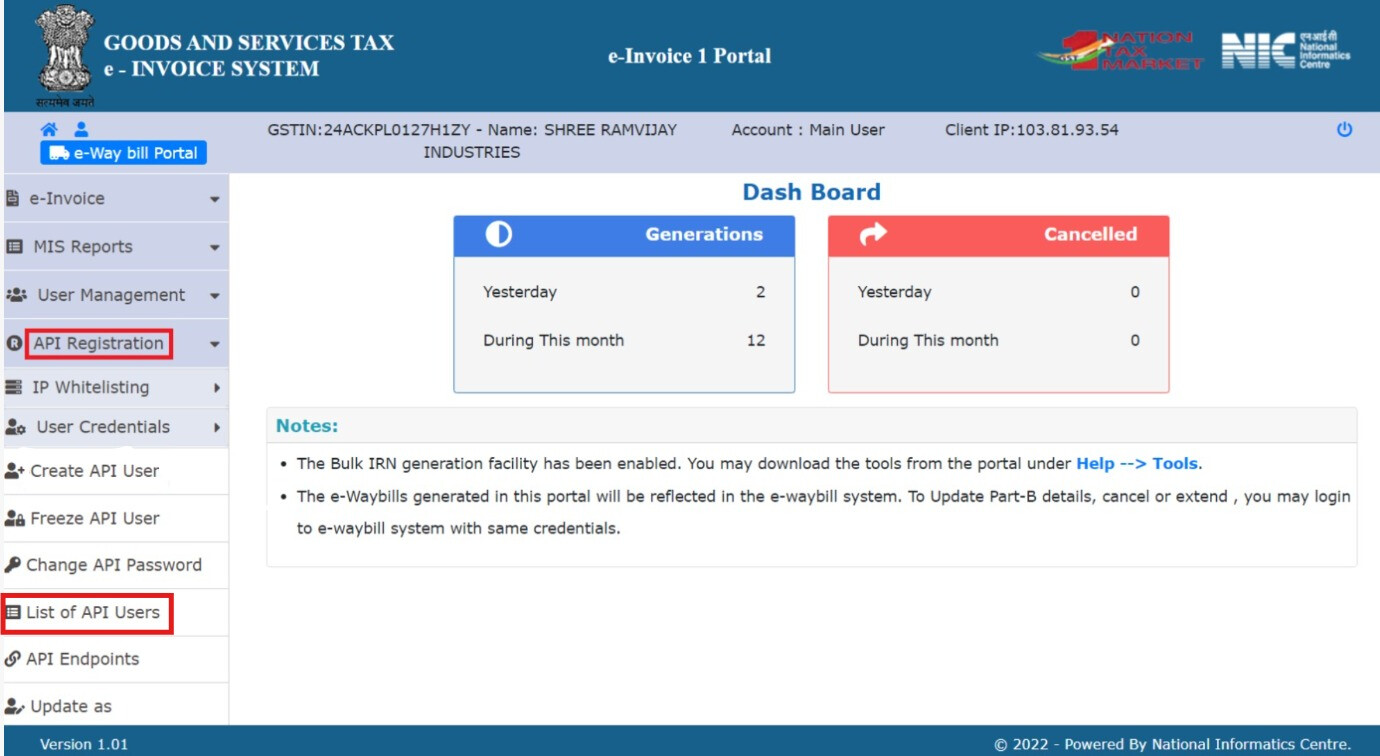
Step 4: Click on “View” and make a note of “GSP Username”.

If you wish to change password, click on change password and proceed.
