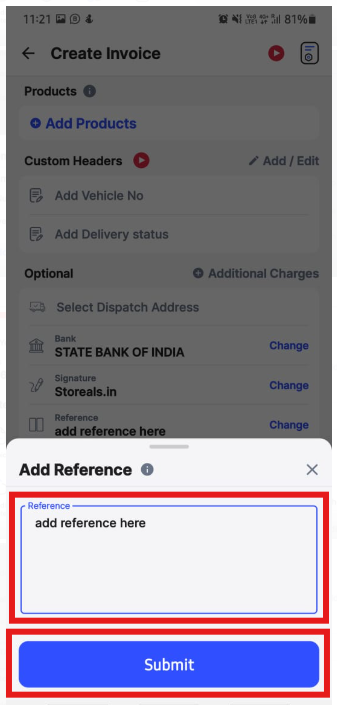
To add reference while creating an invoice in android, please follow below mentioned steps:
Step 1: Open Swipe Billing Application and click on Invoice.

Step 2: Click on add Reference and enter reference details follwed by Submit.

Step 3: Now, click on Create.
