Please follow the steps mentioned below to create an invoice:
Step 1: Go to create section and Click on “invoice”

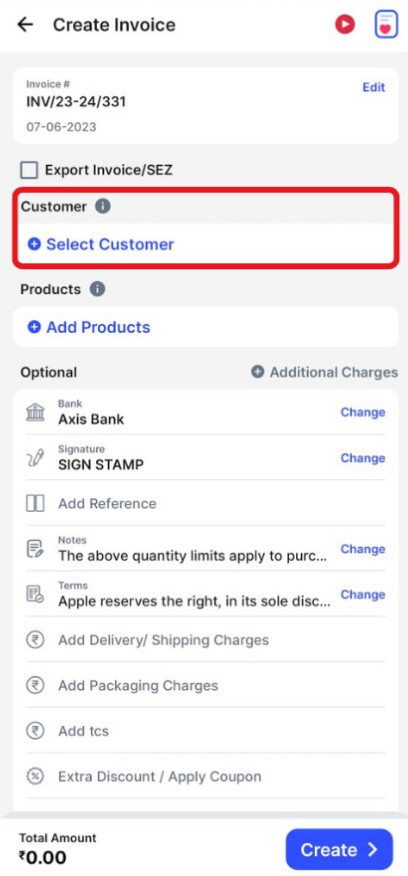
Step 2: Fill in the customer’s details
Click on the “Select Customer” and select the customer you want to create the invoice for
or
Create a new customer profile by clicking on the “+ Add Customer” or “Import from contacts” button.

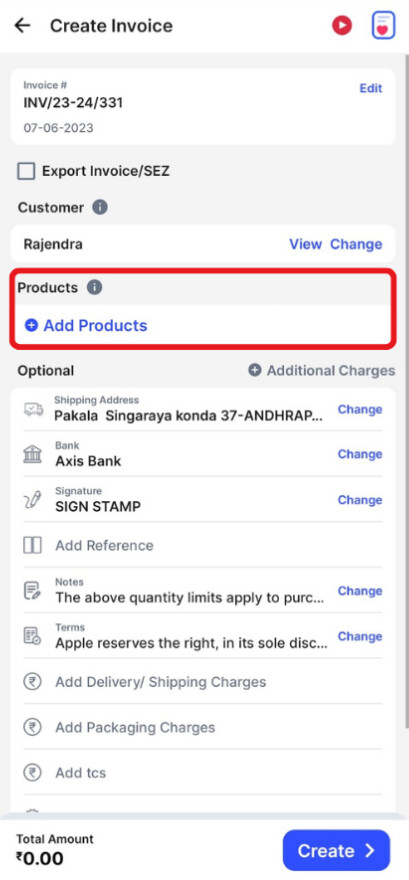
Step 3: Fill in the product details.
Click on the “Add Products” and select/ search for the product you would like to add. Now click on “+” to add the quantity of product.
or
Click on “+ Add New Product" at the top of the screen and type in their details manually.

Step 4: Fill in the other required details.
Add additional, delivery or packaging charges (if applicable any) and create or edit the notes as well as terms and conditions.

Step 5: Add your signature and click on “Create”.
