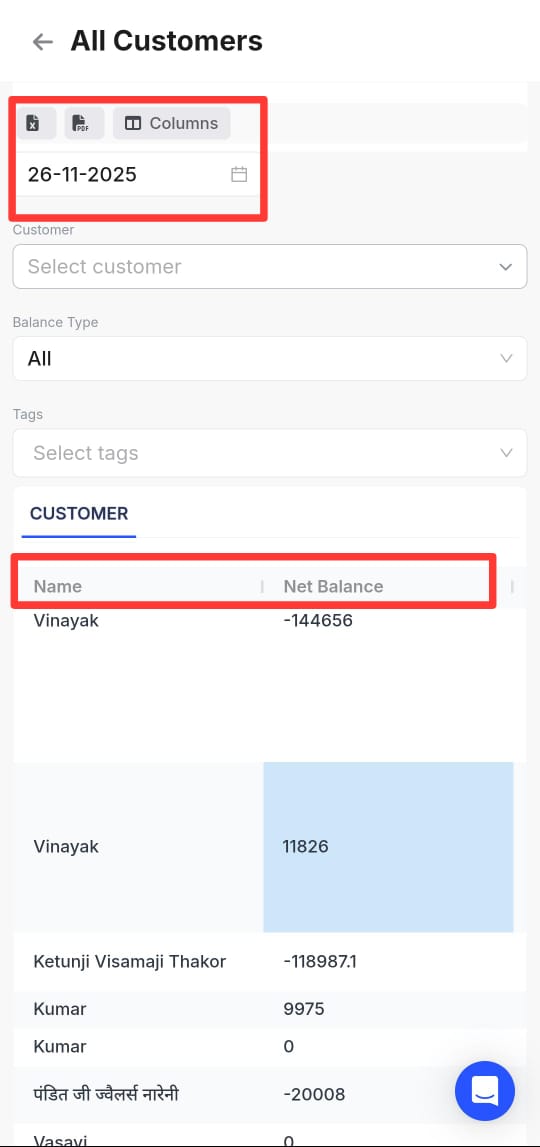
Please follow the steps mentioned below to view and download the net balance of all customers on a particular date:
Step 1: Go to More and click on reports

Step 2: Scroll down and click on party reports >> All customers

Step 3: Click on manage columns and select the necessary columns

Step 4: Now select the date range and click on excel/pdf icon to download in the desired format