To download the customer ledger for a specific date, please follow the below-mentioned steps.
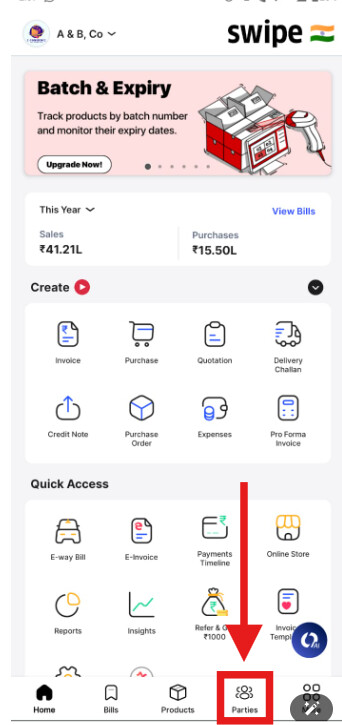
Step 1. Go to Parties from the home page and select Customers.
,
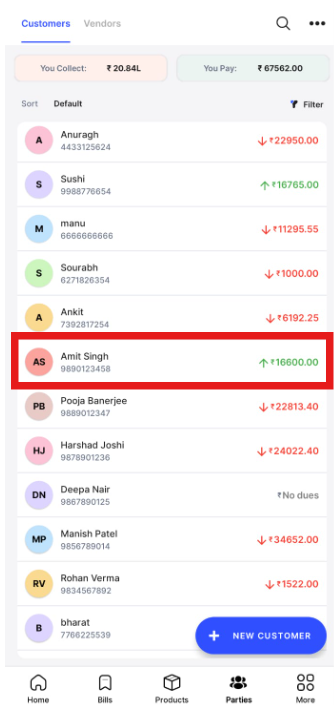
Step 2. Click on 3 Dots, and select Excel or PDF to download the Ledger.

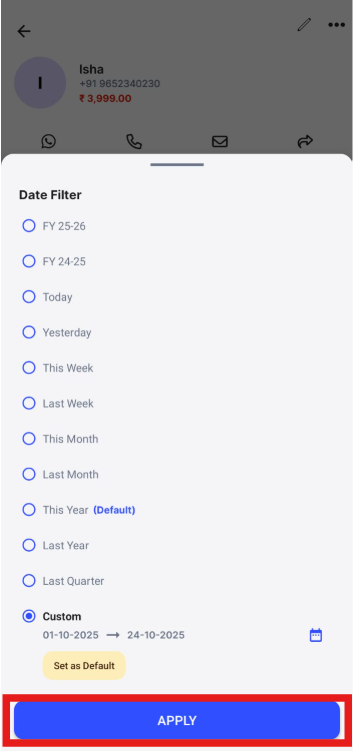
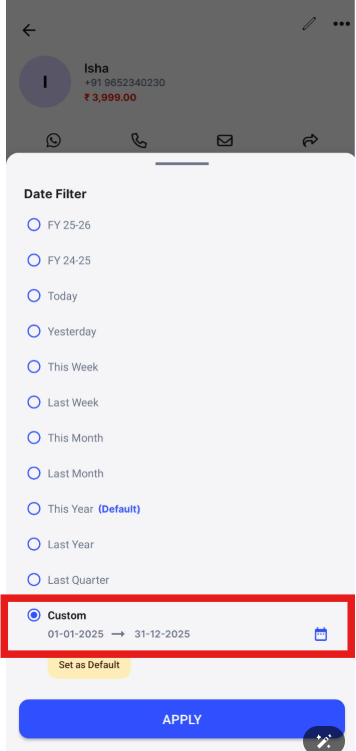
Step 3. Click on Custom to choose the Date Range. after selecting the date range click on OK.
,

Step 4. Click on Apply to download the Ledger for the selected Date Range.