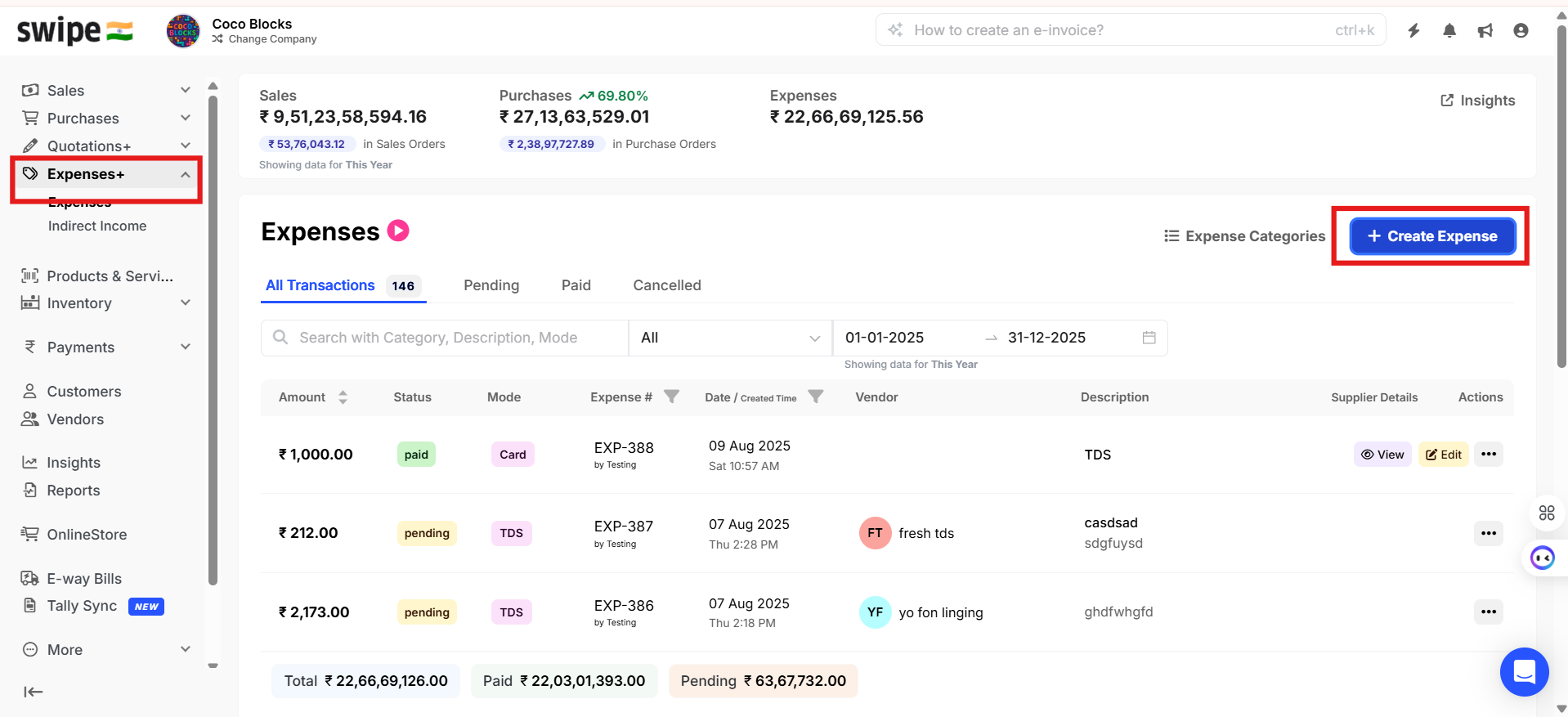
To round off the Expense amount, please follow below mentioned steps:
Step 1: Go to Expenses+ sections and click on +Create Expense.
Step 2: Enable the option, Create Expenses with Tax.
Step 3: Enable Round off option and click on Add Expense.