Please follow the steps below to learn how to fix the Product HSN while downloading the GSTR report.
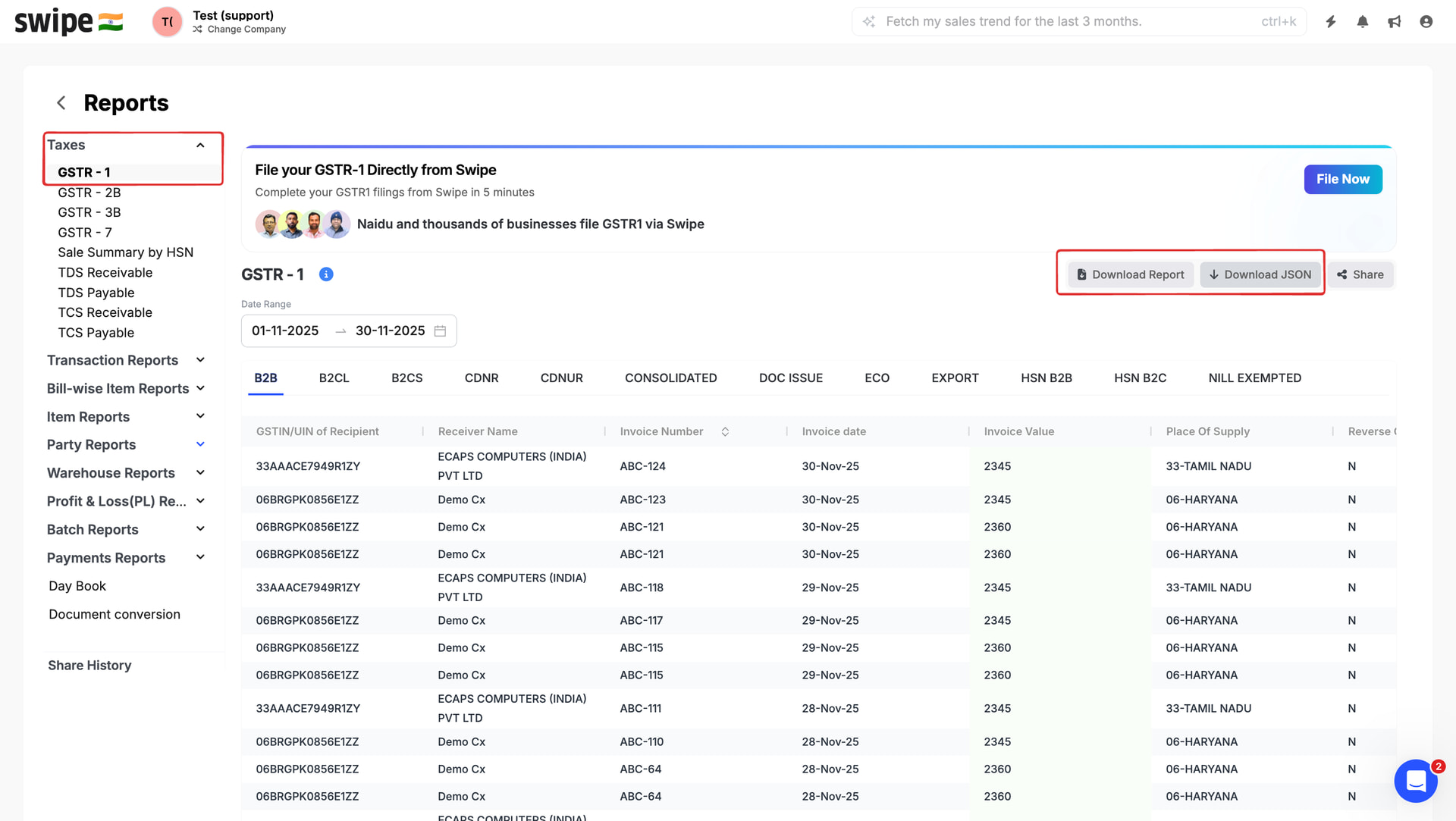
Step 1: Please Go to reports >> Select GSTR 1 >> Click on download option.
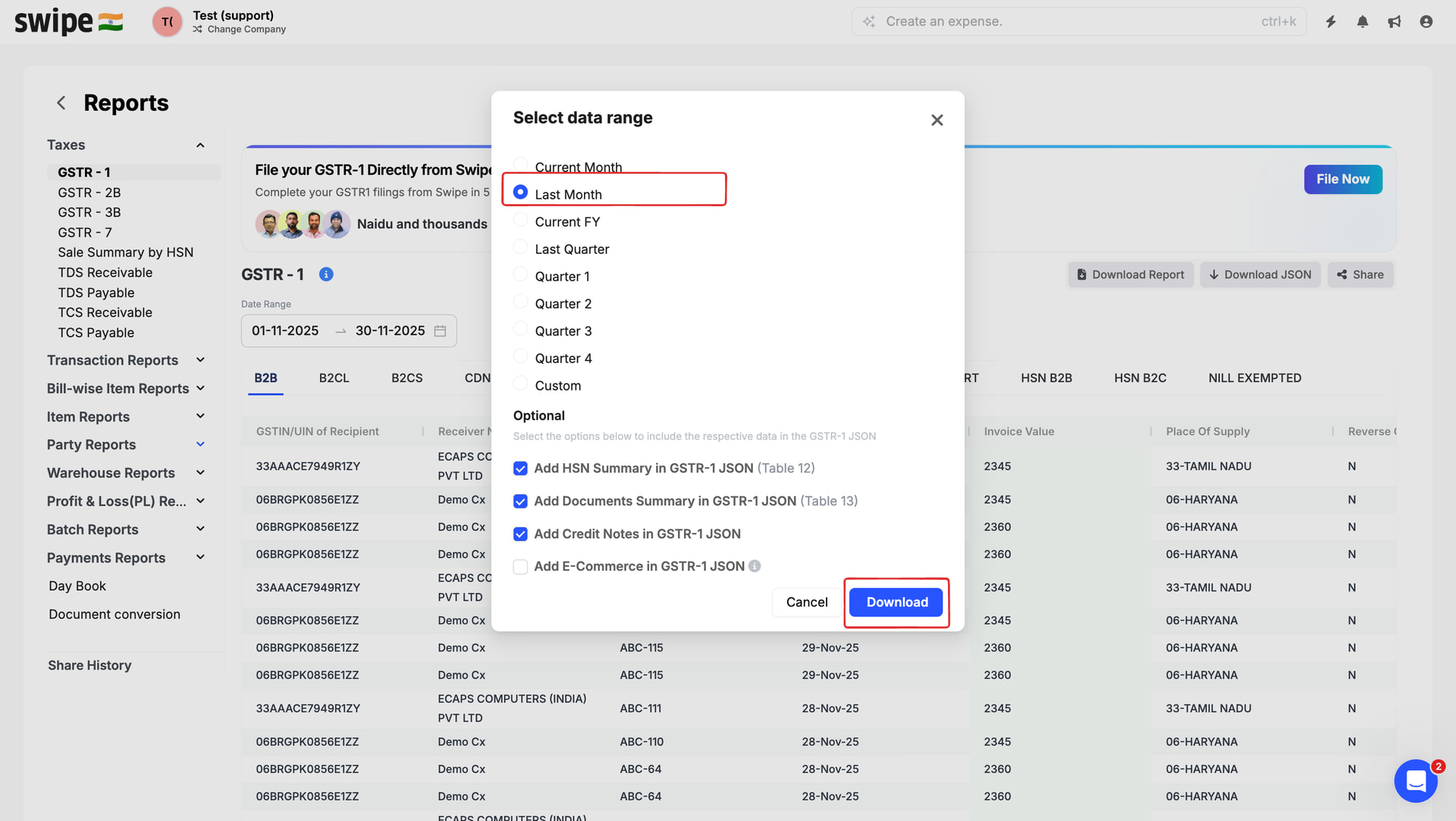
Step 2: Select the date range and click on download.
Step 3: If you have error in the HSN code you will get Fix HSN option >> Click on Fix HSN option.

Step 4: Add the correct HSN code and click on Submit.
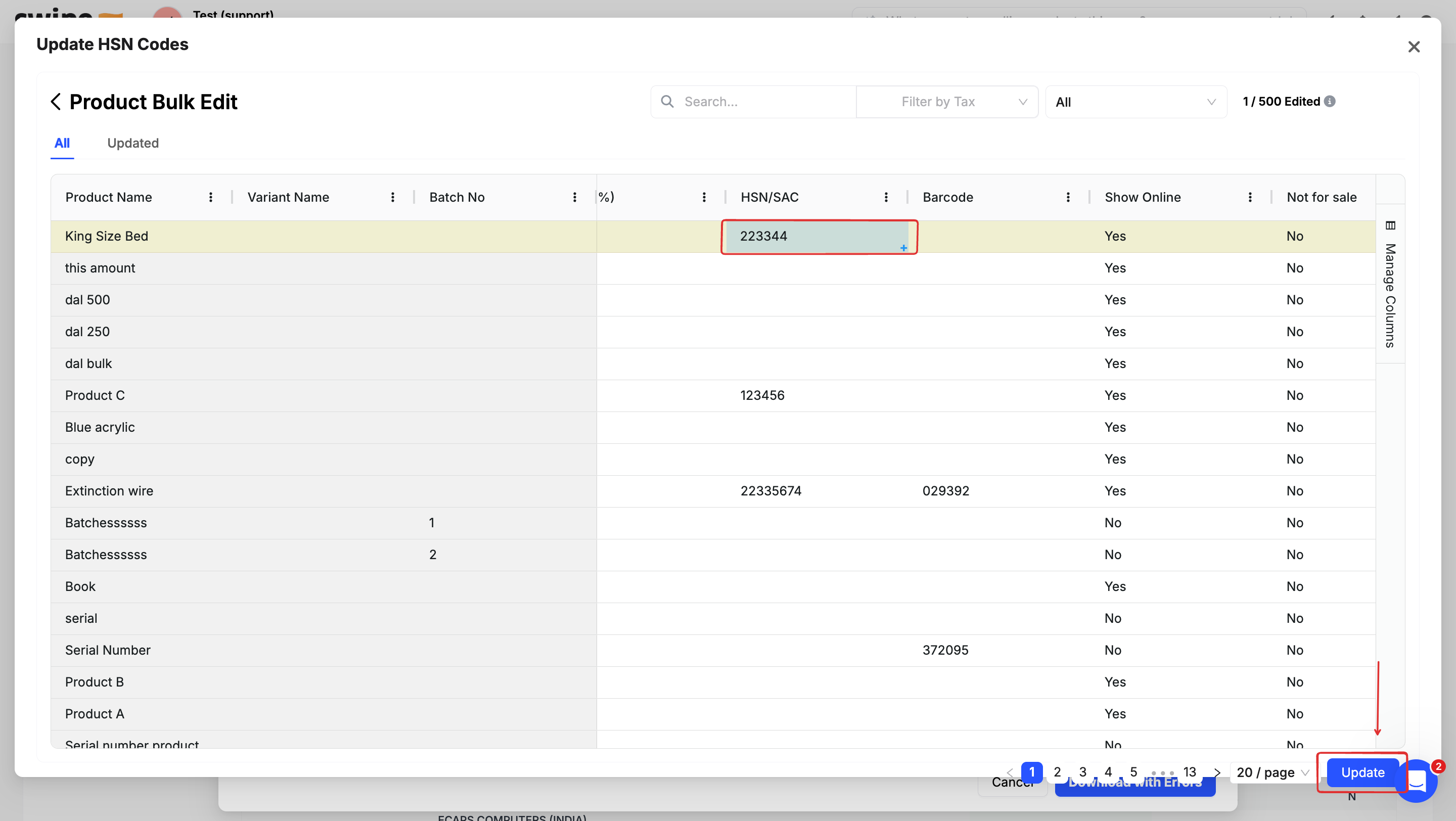
Once you fix the errors then try uploading the GSTR -1 JSON file in the GST portal.