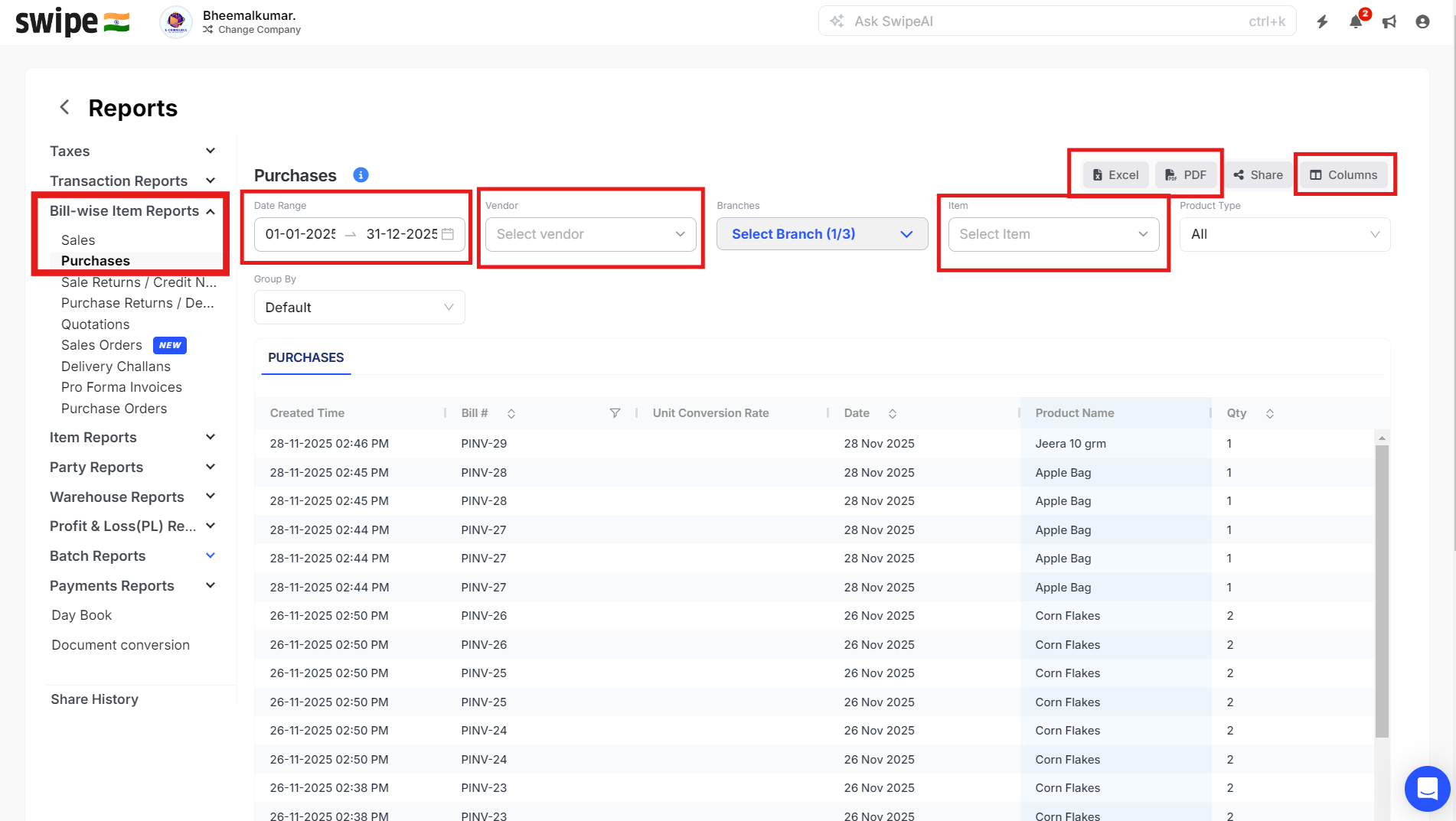
To fetch item and vendor wise sales report, please follow the steps mentioned below:
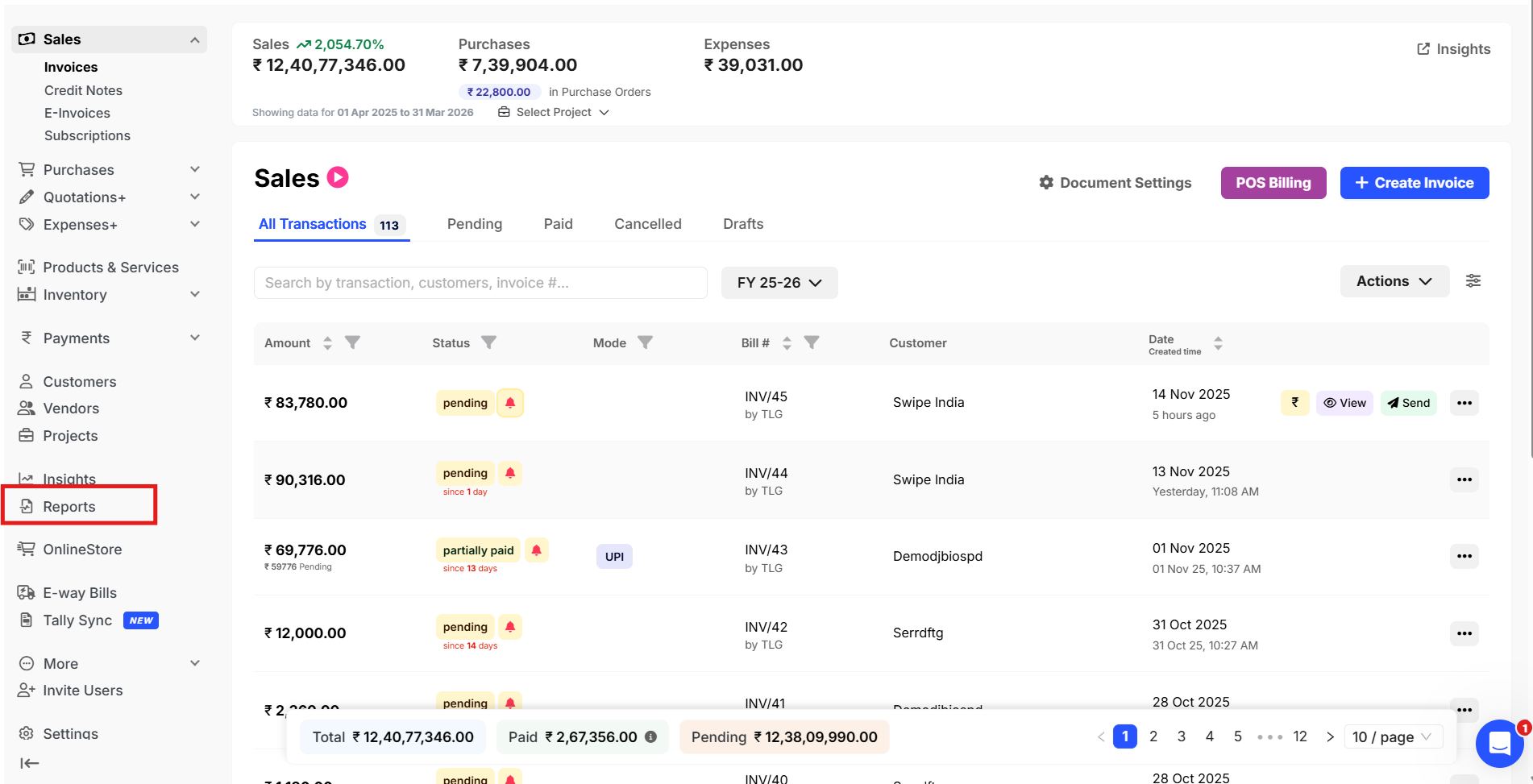
Step 1: Go to Reports from the home page.
Step 2: Click on Bill- wise Item Reports and select Purchase, select the Vendor or Item, Manage columns on your requirement.
click on Excel or PDF to download the report.