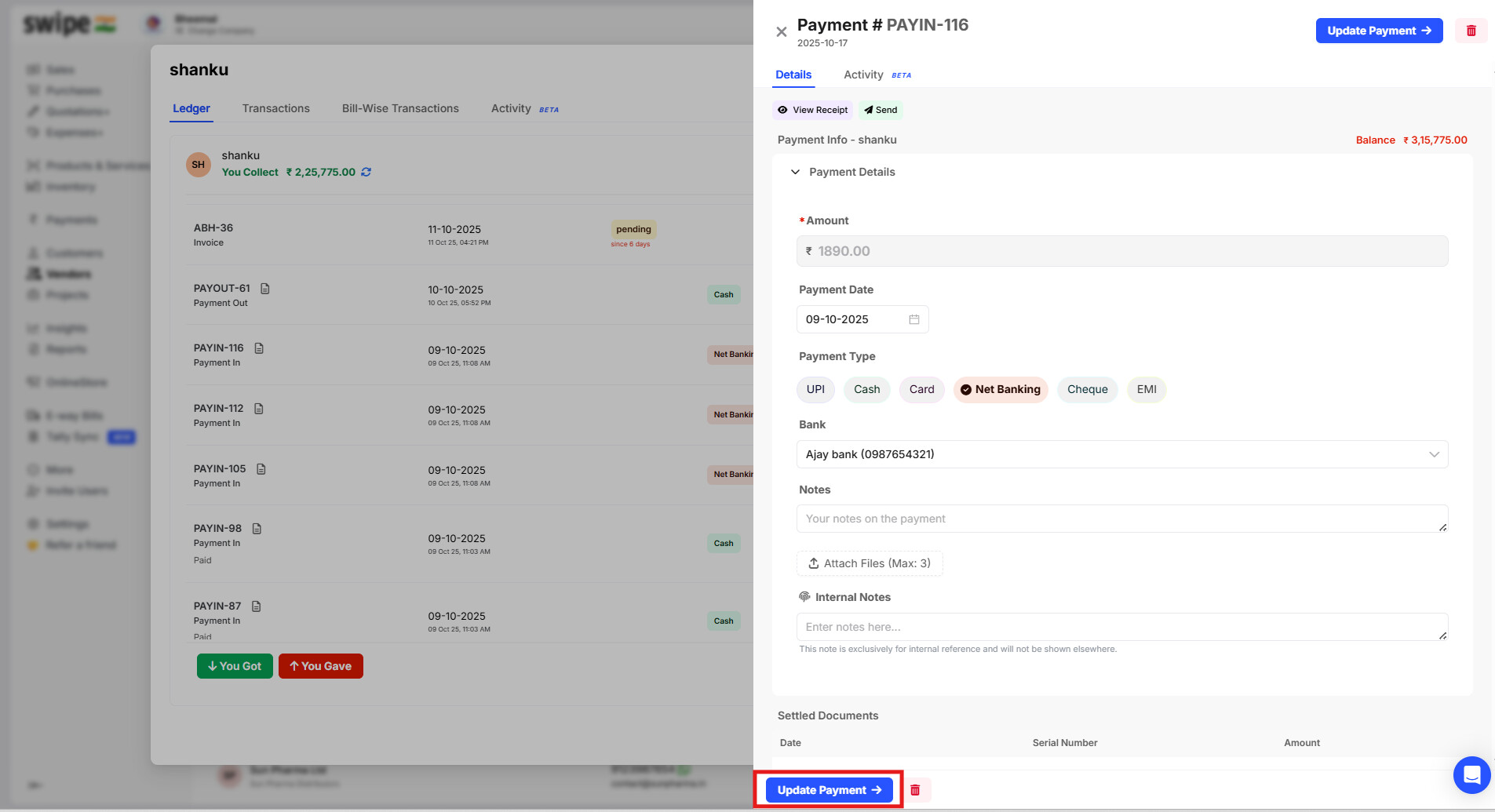
To edit the mode for the recorded payment of the vendors:
Step 1. Click on vendors from the home page.

Step 2. Select the vendor`s ledger for which you want to edit the payment.

Step 3. Click on Edit for the payment for which you want to edit the payment.

Step 4. Click on Edit to edit the payment.

Step 5. Click on Update payment to save the changes.