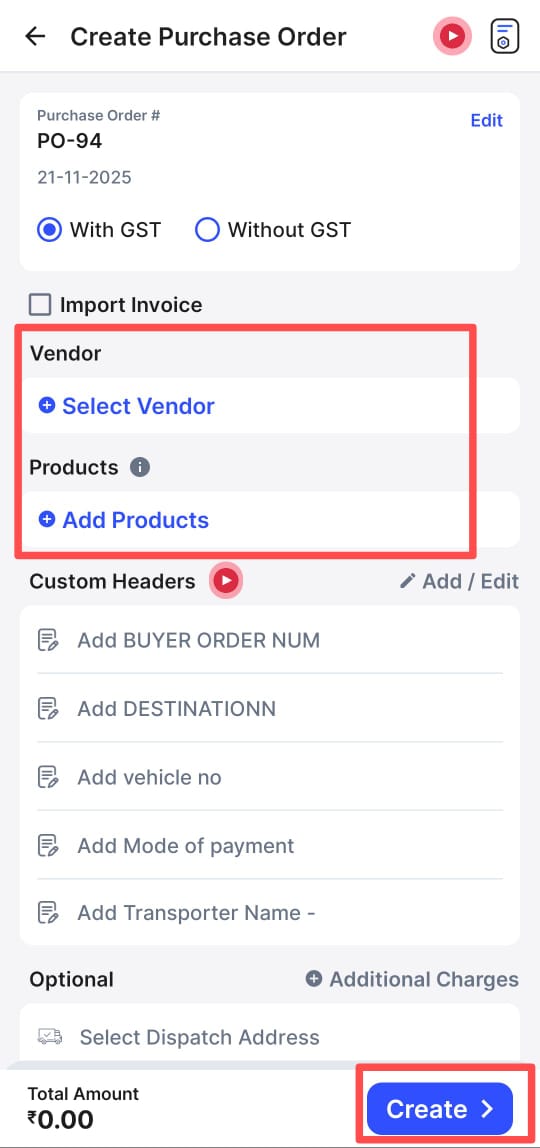
Please follow the steps mentioned in the article below to create a purchase order in Mobile.
Step 1: Go to Bills >> Click on More.

Step 2: Click on Purchase Order.

Step 3: Click on + Purchase order.

Step 4: Enter the necessary details and click on create.