To create a purchase invoice with AI for products with batches in Swipe, please follow the below-mentioned steps.
Step 1. Go to Purchases and click on Create Purchase.

Step 2. Click on Create Invoice with AI.
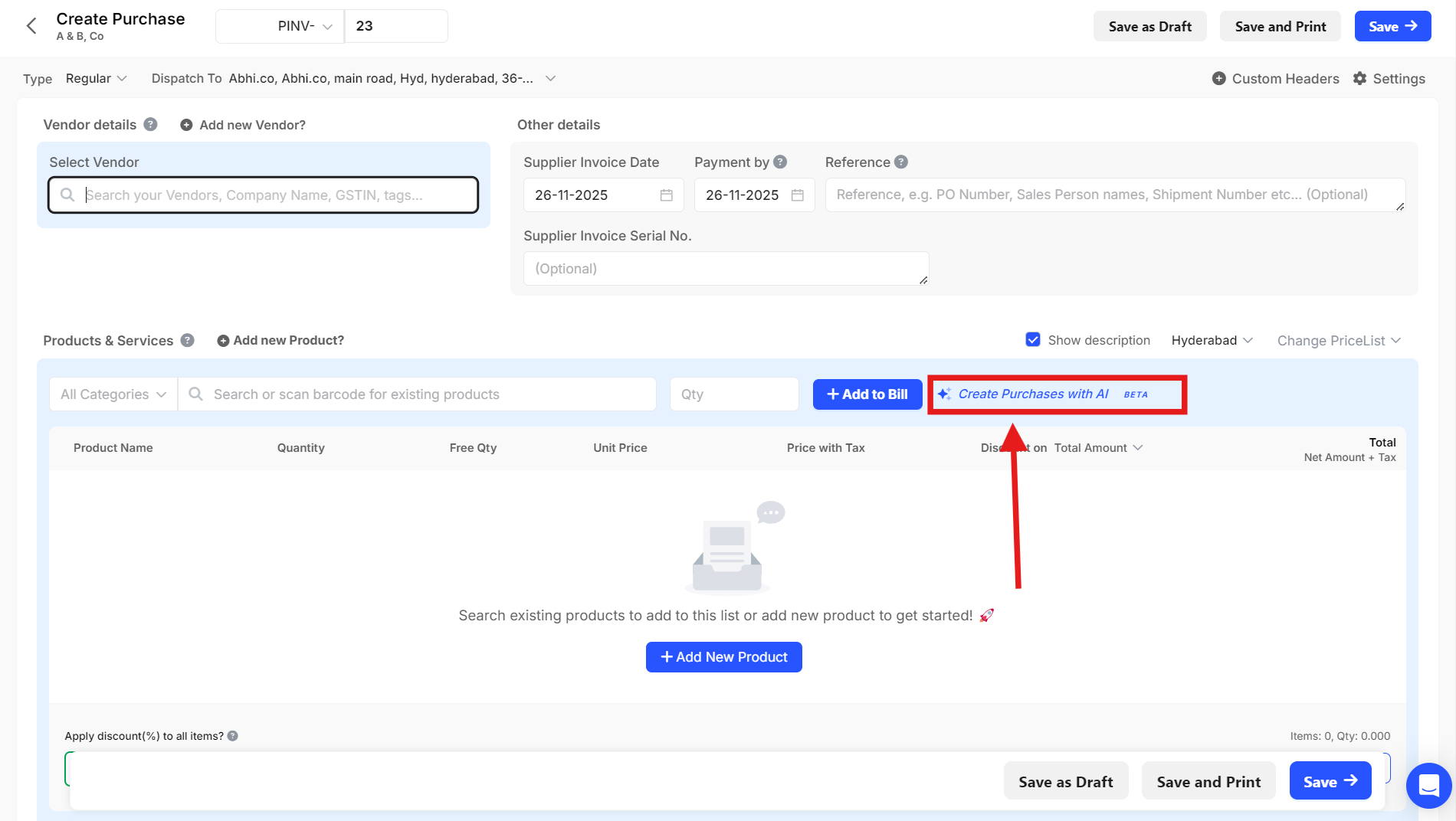
Step 3. Upload the File, and click on OK.

Step 4. Product and product details will be fetched from the document. Select the Existing Batch or Create a New Batch.
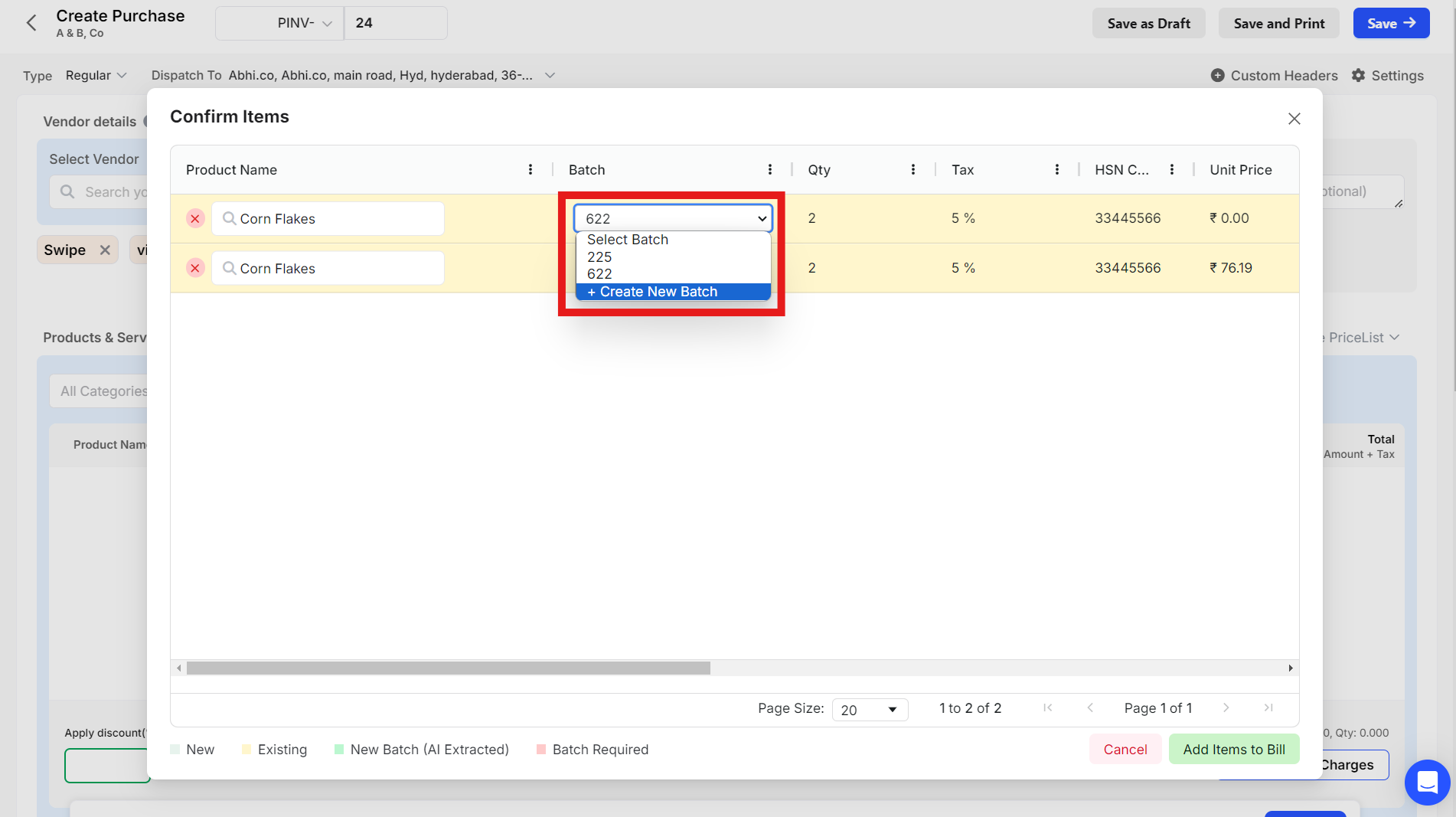

Step 5. After selecting/creating the Batches, click on Add Item to Bill.

Step 6. Click on Save.

Step 7. Click on Confirm to create a purchase invoice.

Step 8. You can now see an Purchase Invoice has been created for the Product with Batches using AI.

Please Note: This feature is only available in Web version.