To claim Swipe Domain, please follow the below mentioned steps:
Step 1: Go to “Settings”.

Step 2: Go to “Integrations”, click on “More” Option, and then select “Custom Domain”.

Step 3: Select “Swipe Domain” >> “Enter your name”.
Please Note: Minimum 5 characters required. Only letters and numbers are allowed.

Step 4: Click on “Check Availability.” Your Swipe domain will appear as “yourname.swipe.pe.” Then, click on “Claim now.”
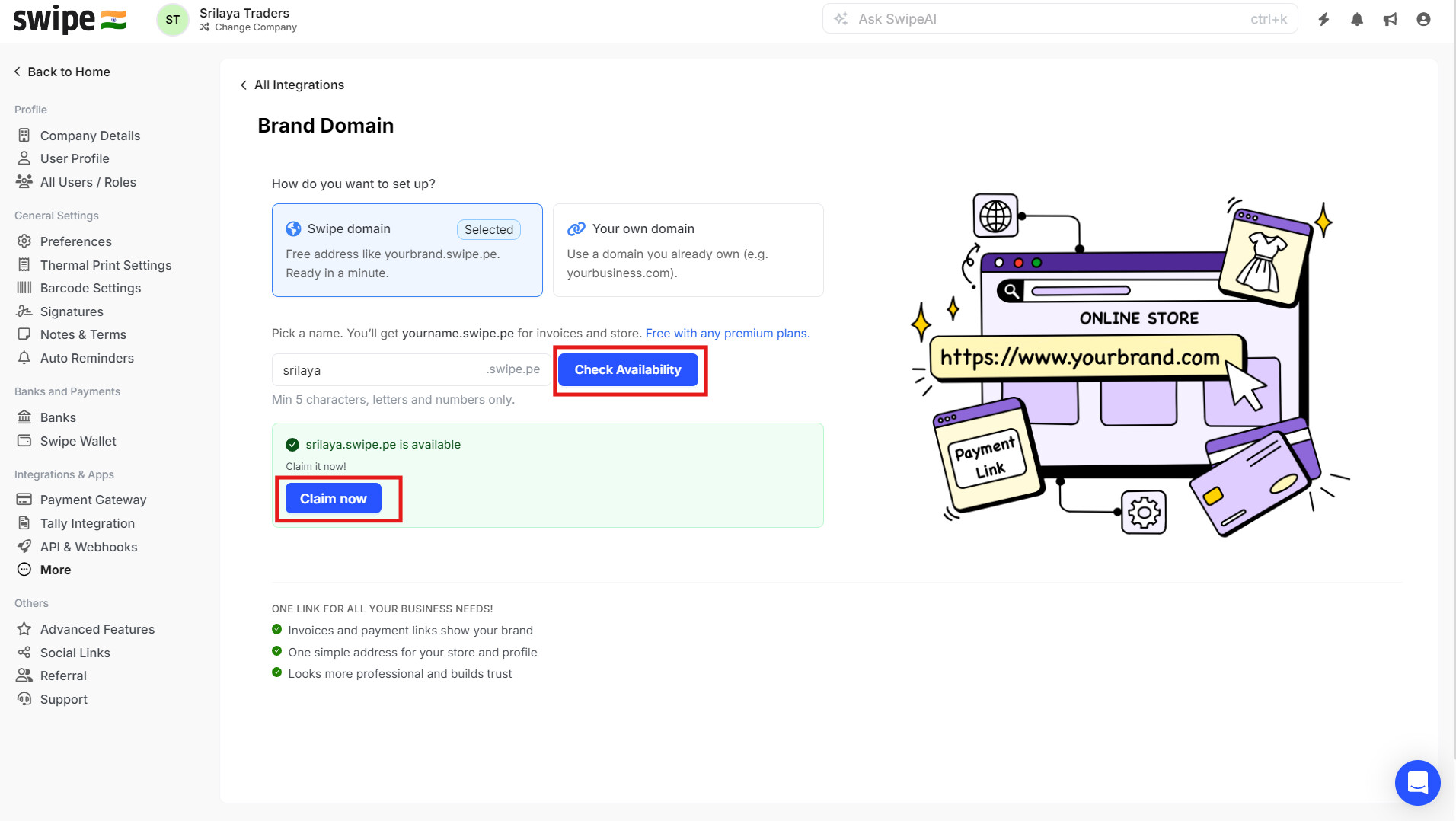
You have successfully claimed your swipe domain.
You’ll get Swipe domain as “yourname.swipe.pe” for “Invoices, Ledgers and Online Store”.

Note: You can use the Swipe domain link for your Online Store, and all invoices and ledger links will be visible with your domain.