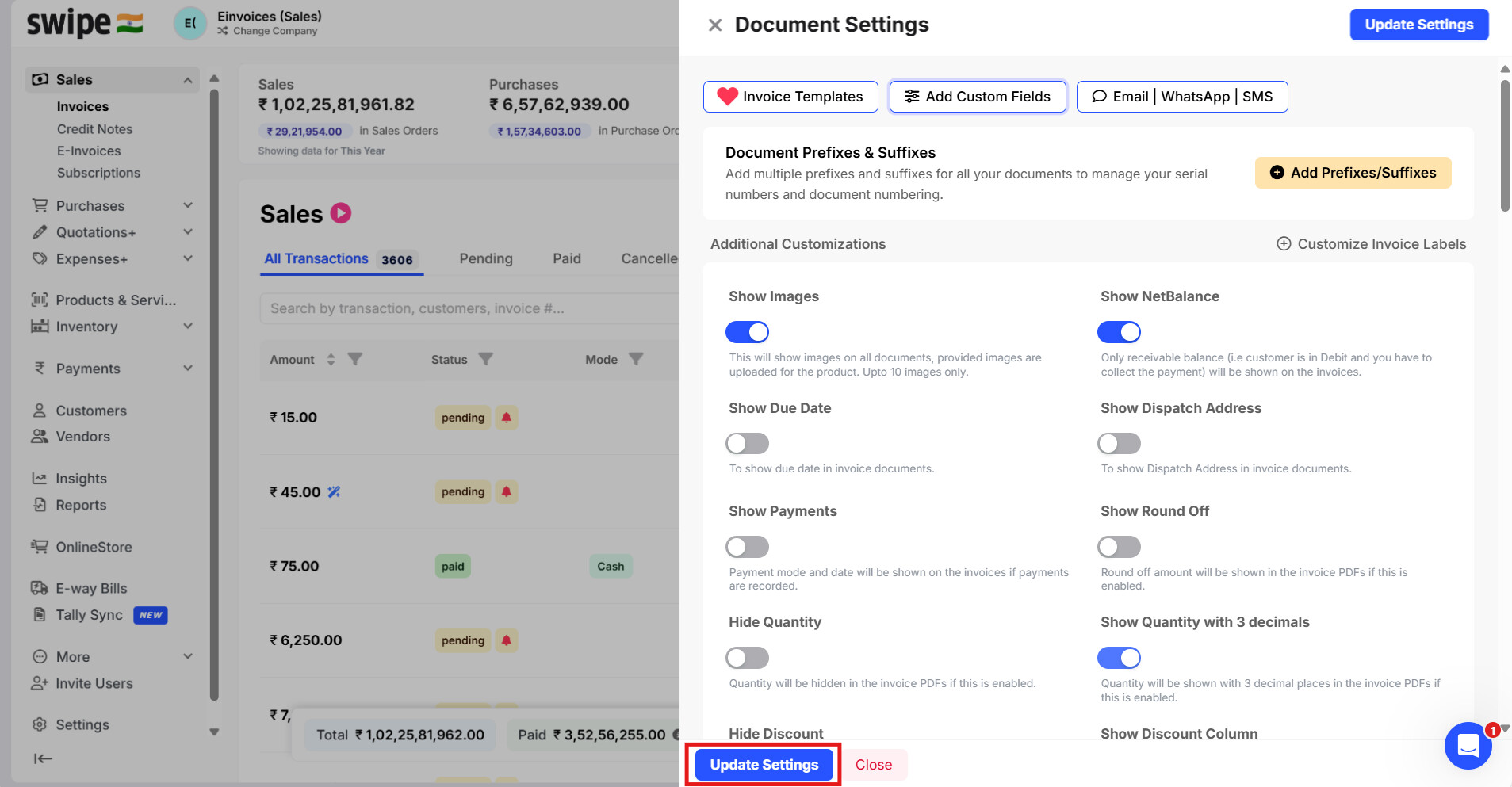
To change the name of the item field in Packing List, please follow the steps mentioned below:
Step 1: Go to “Sales” and select “Invoices”.
Now, click on the “Document Settings” Option at the top right corner of the screen.

Step 2: Select “Add Custom Fields”.

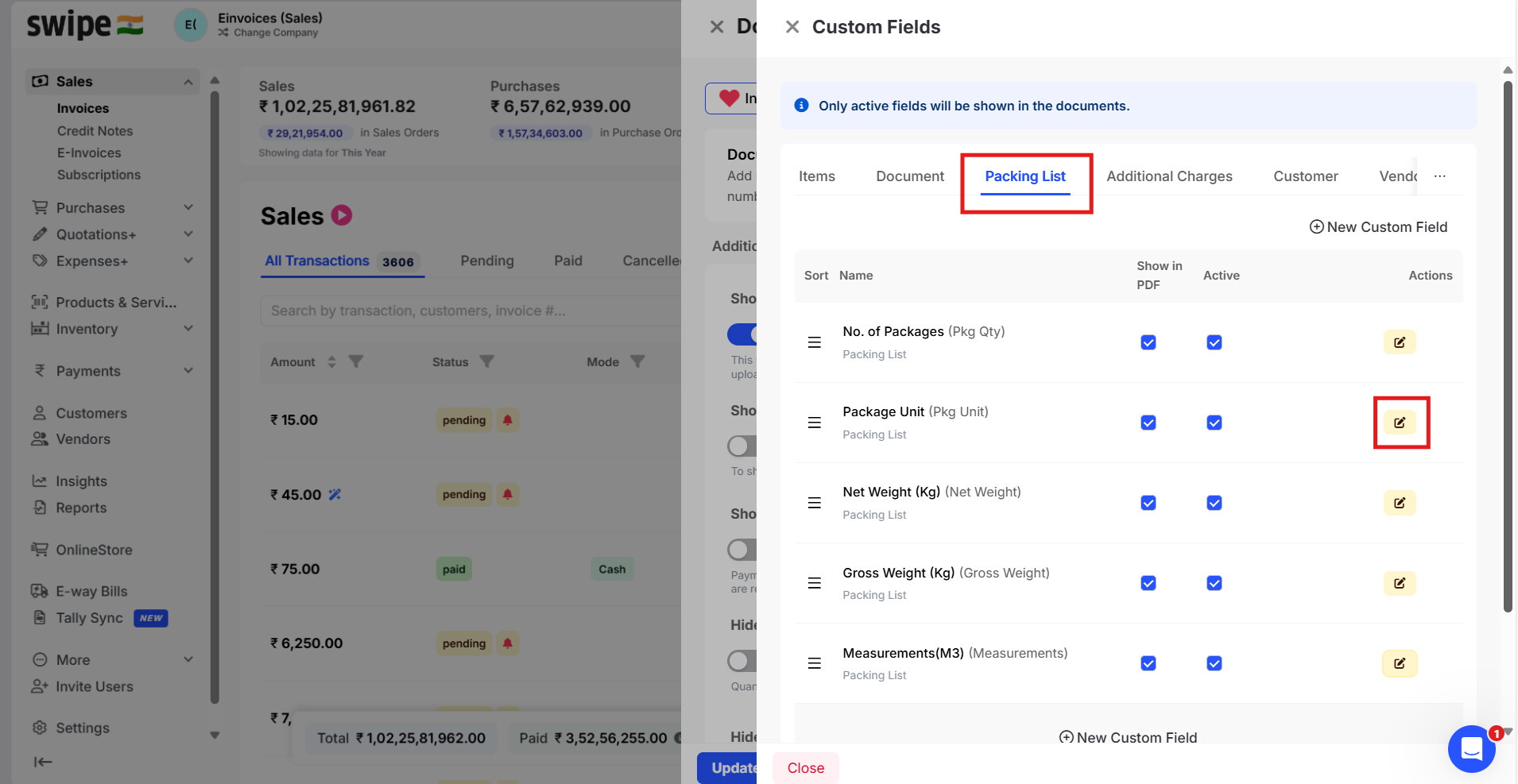
Step 3: Go to Packing List >> Click on edit for the field for which you want to change the name
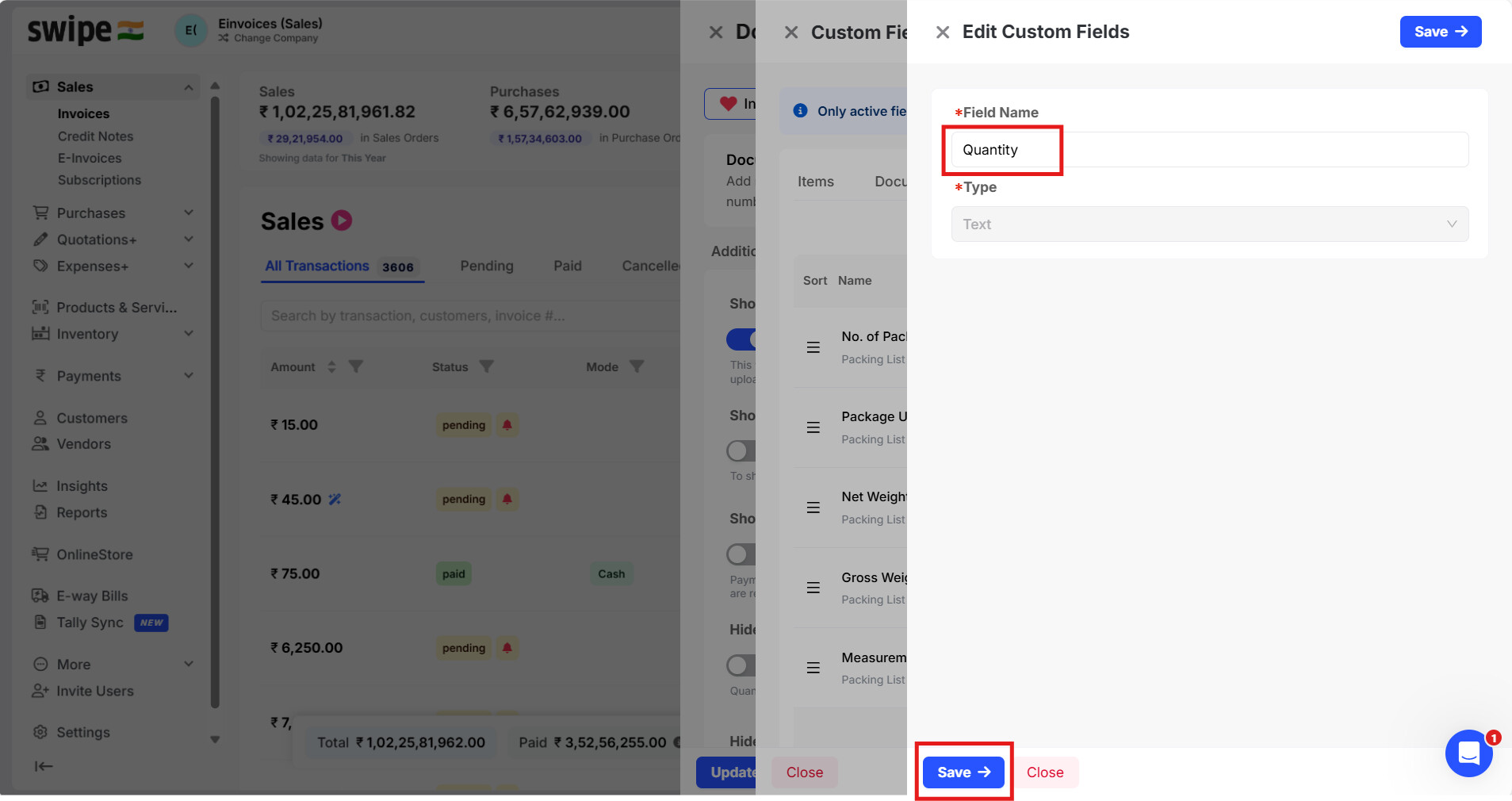
Step 4: Change the name and Click on Save
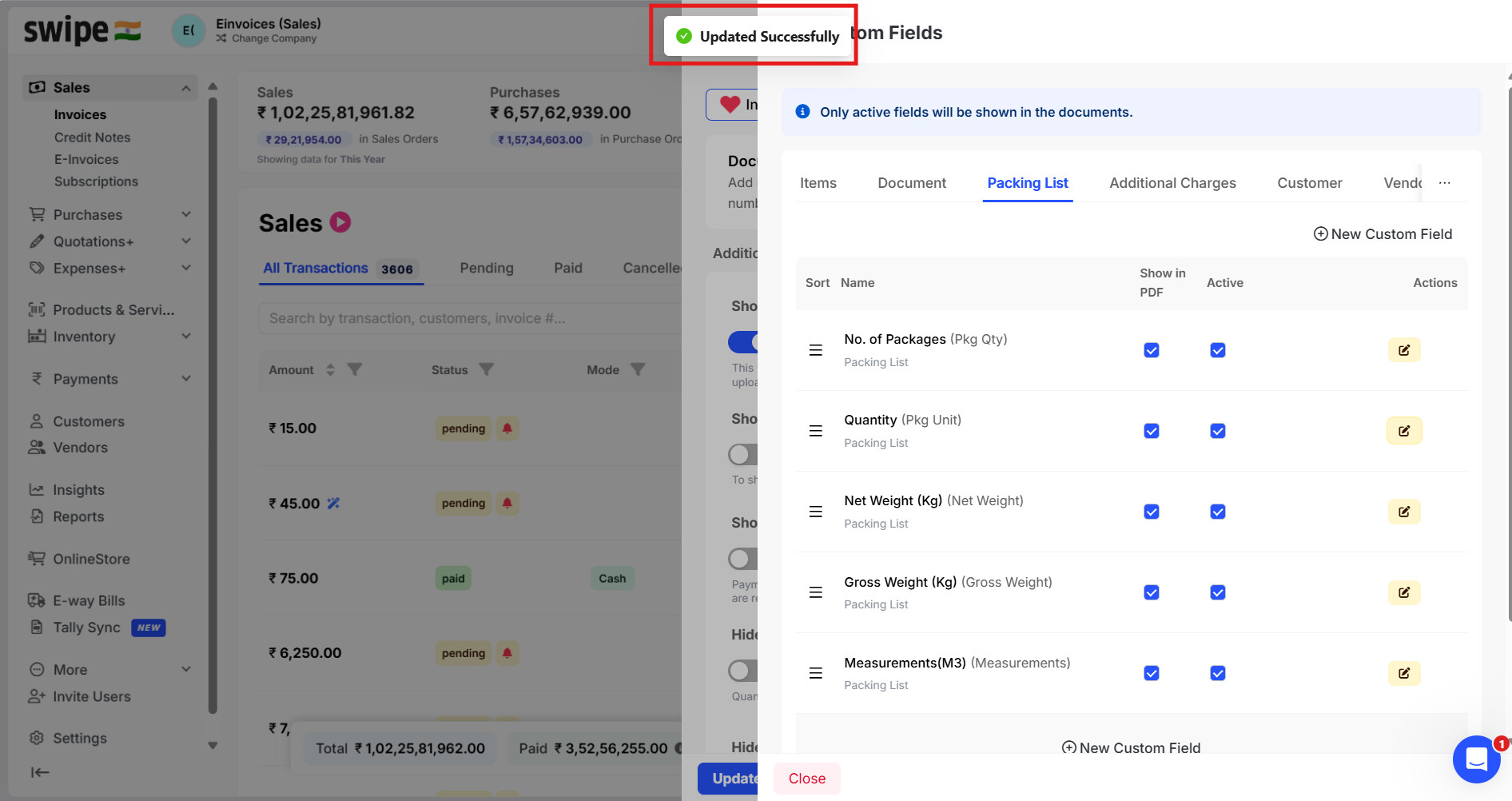
Step 5: Now you will get a notification as Updated Successfully
Step 6: Click on Update settings