To bulk upload products with variants having batches in Swipe, please follow the below-mentioned steps.
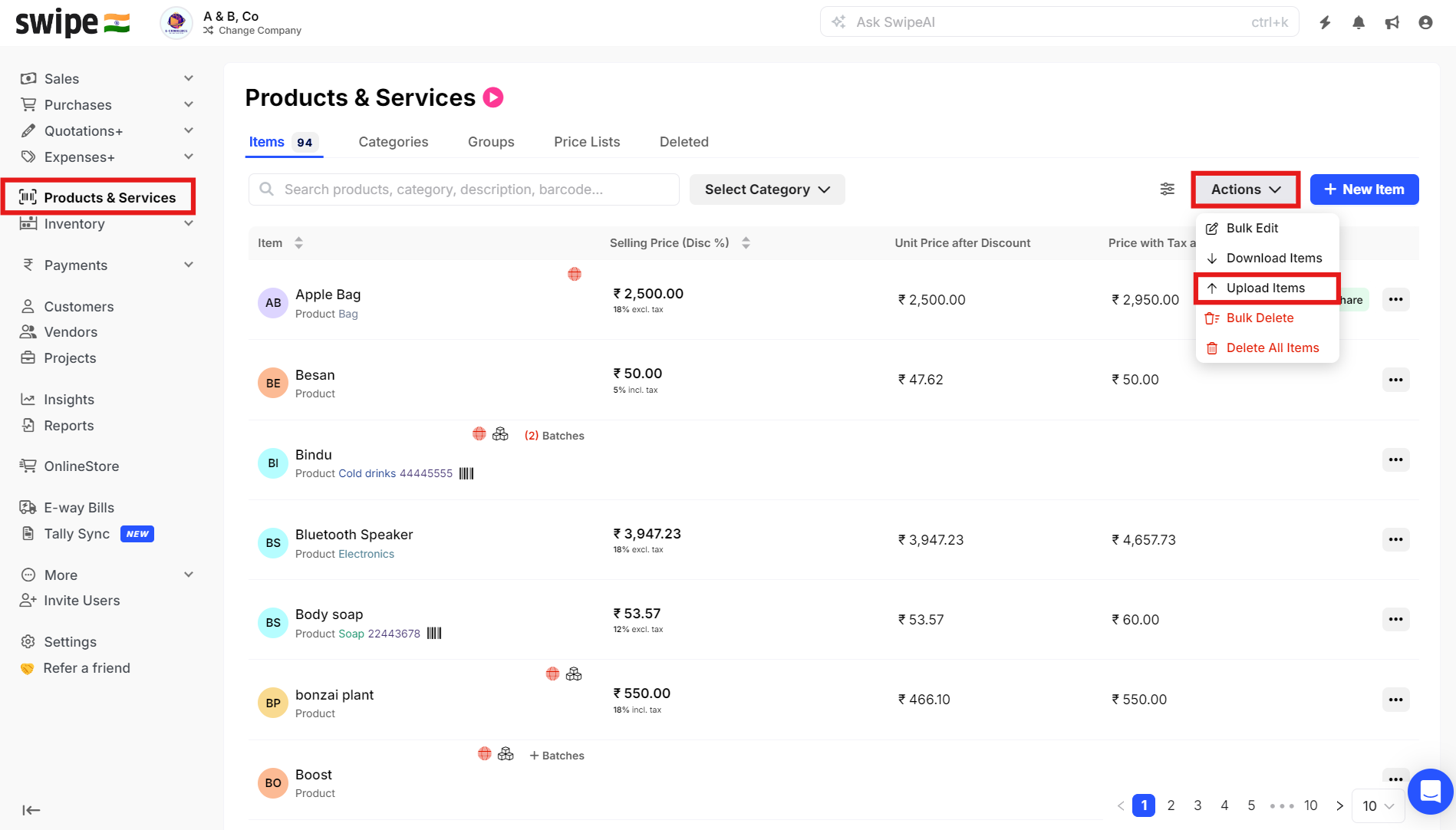
Step 1. Go to Products and Services and click on Upload Items under Actions.
Step 2. Click on Products has Variants to enable it, and click on Download Product Template.
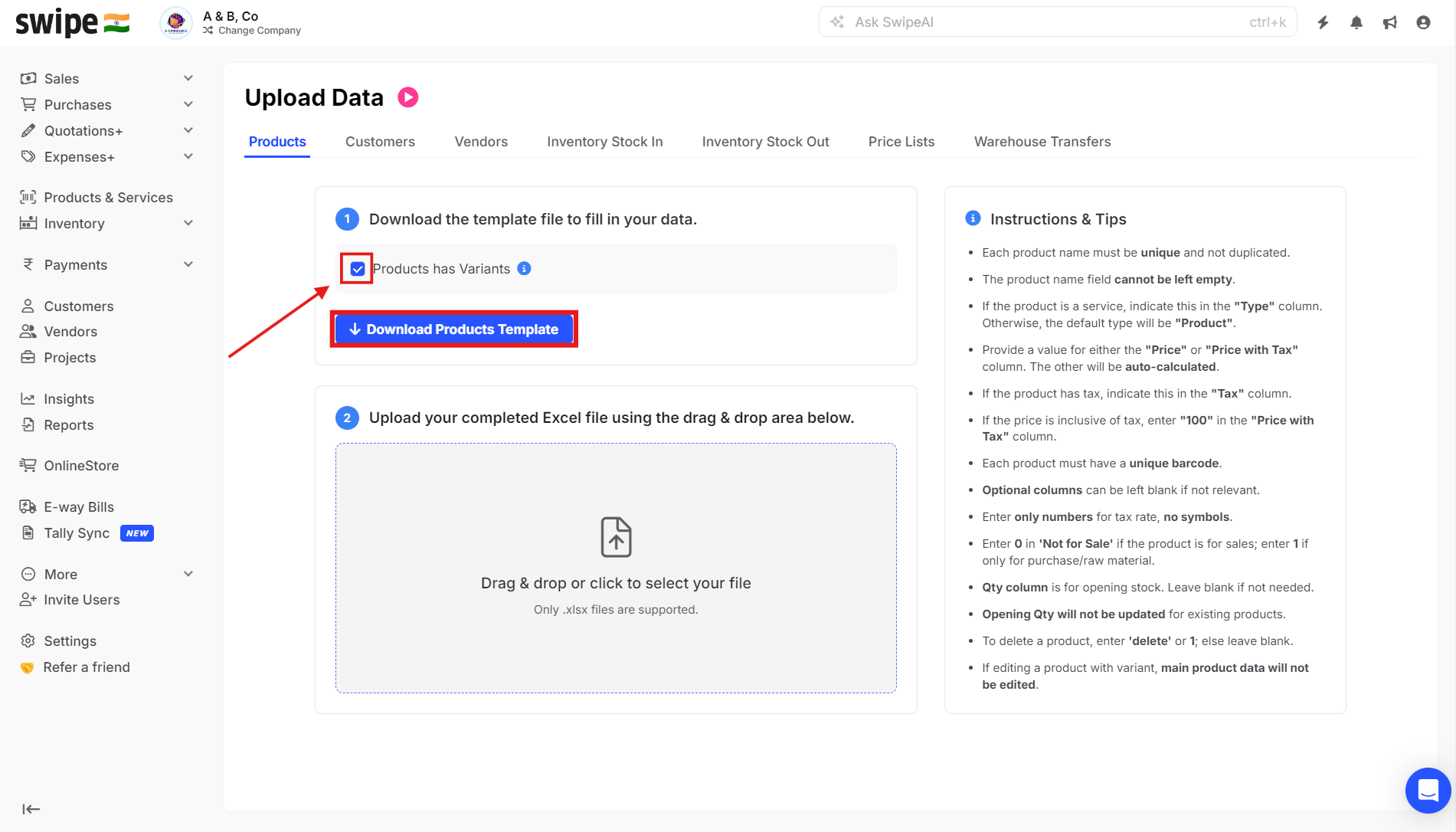
Now, open the downloaded template.
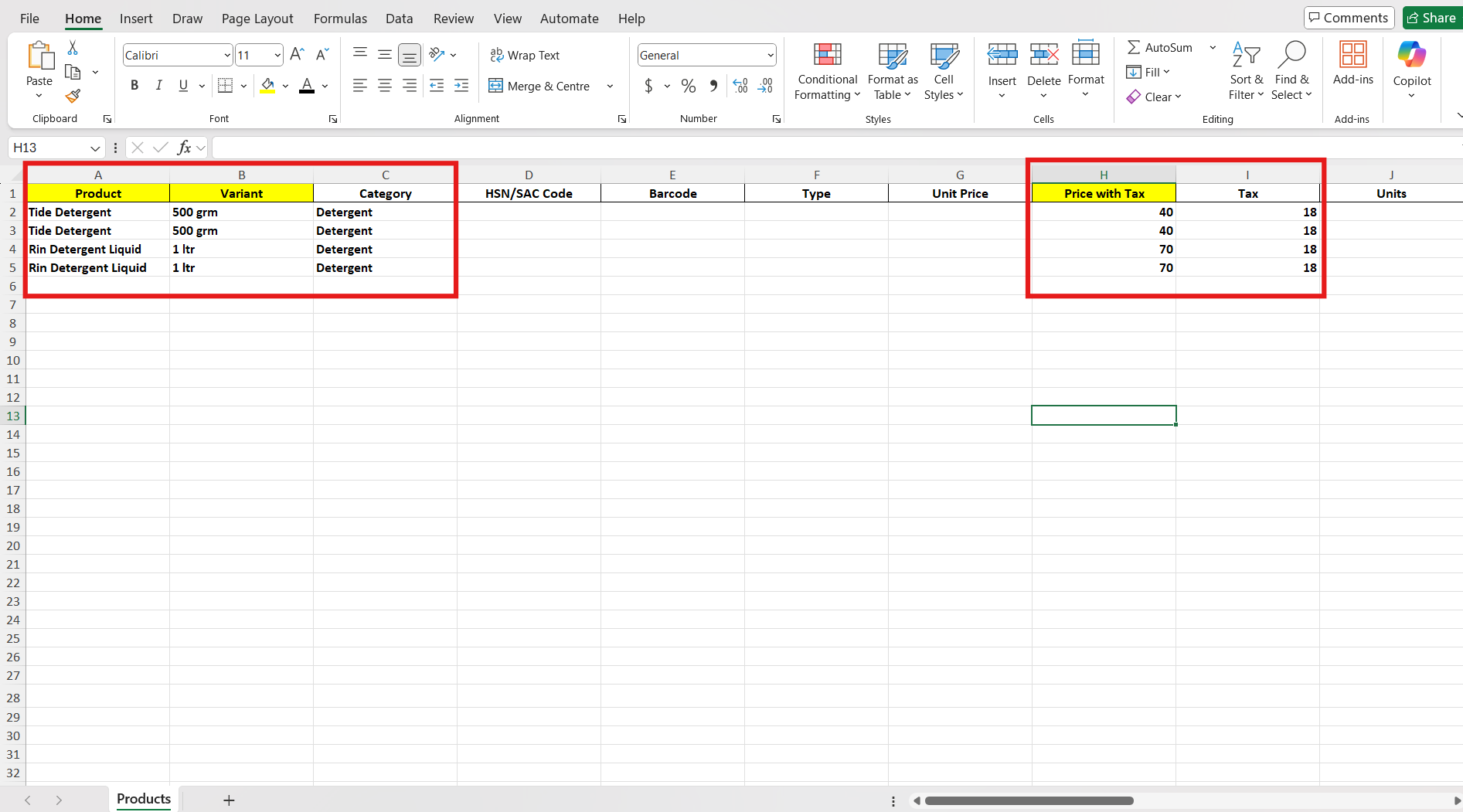
Step 3. Enter the Product and Variant name, and also enter the Price and Tax for the product
Note: Enter either the unit price or the price including tax. If you enter one, the other will be calculated automatically. (The same applies to the purchase price.)
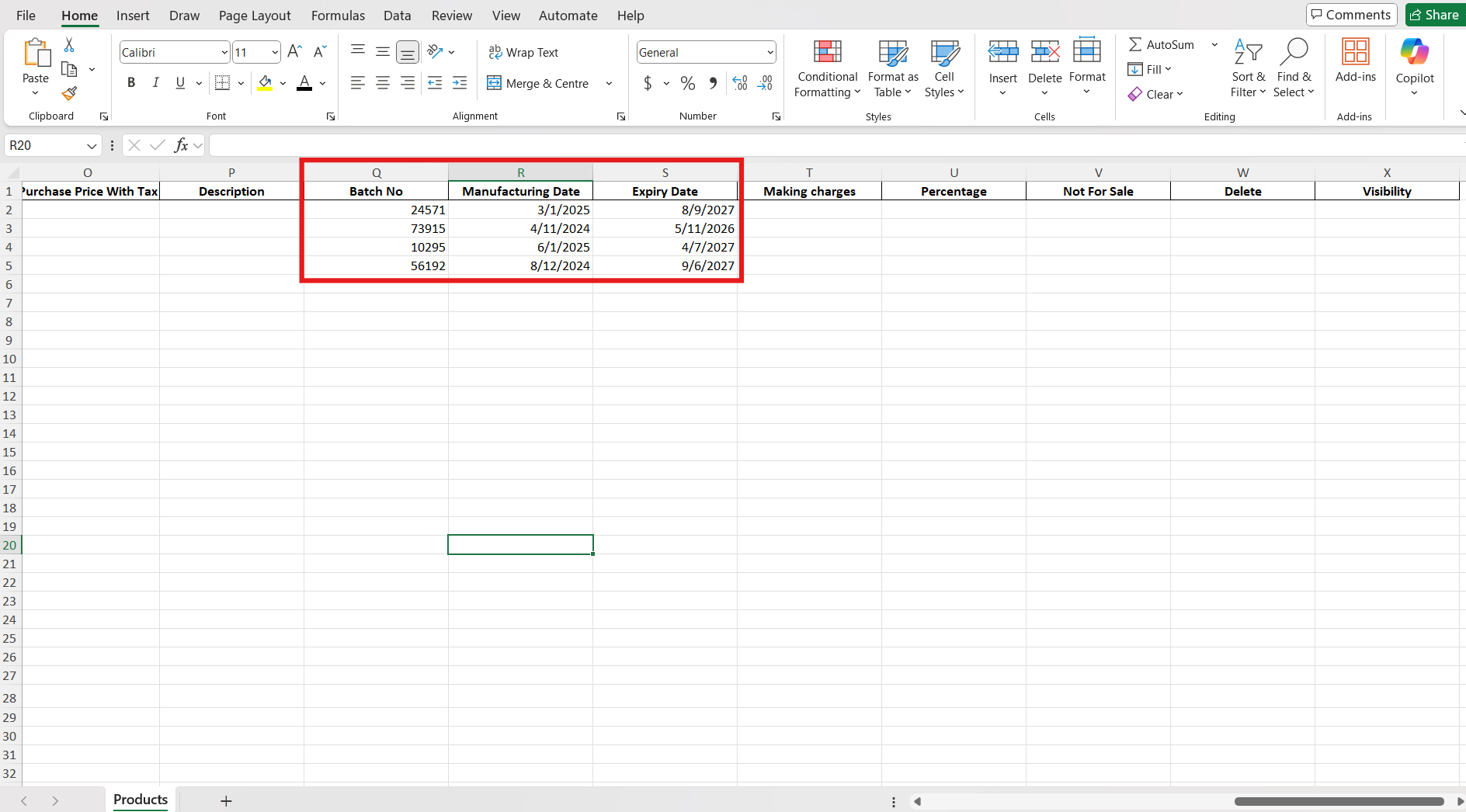
Step 4. Enter the Batch number, Manufacturing date & Expiry date of the products and Save the file.
Step 5. Upload the Saved File in Swipe.

Step 6. Click on Confirm to Bulk upload the products.

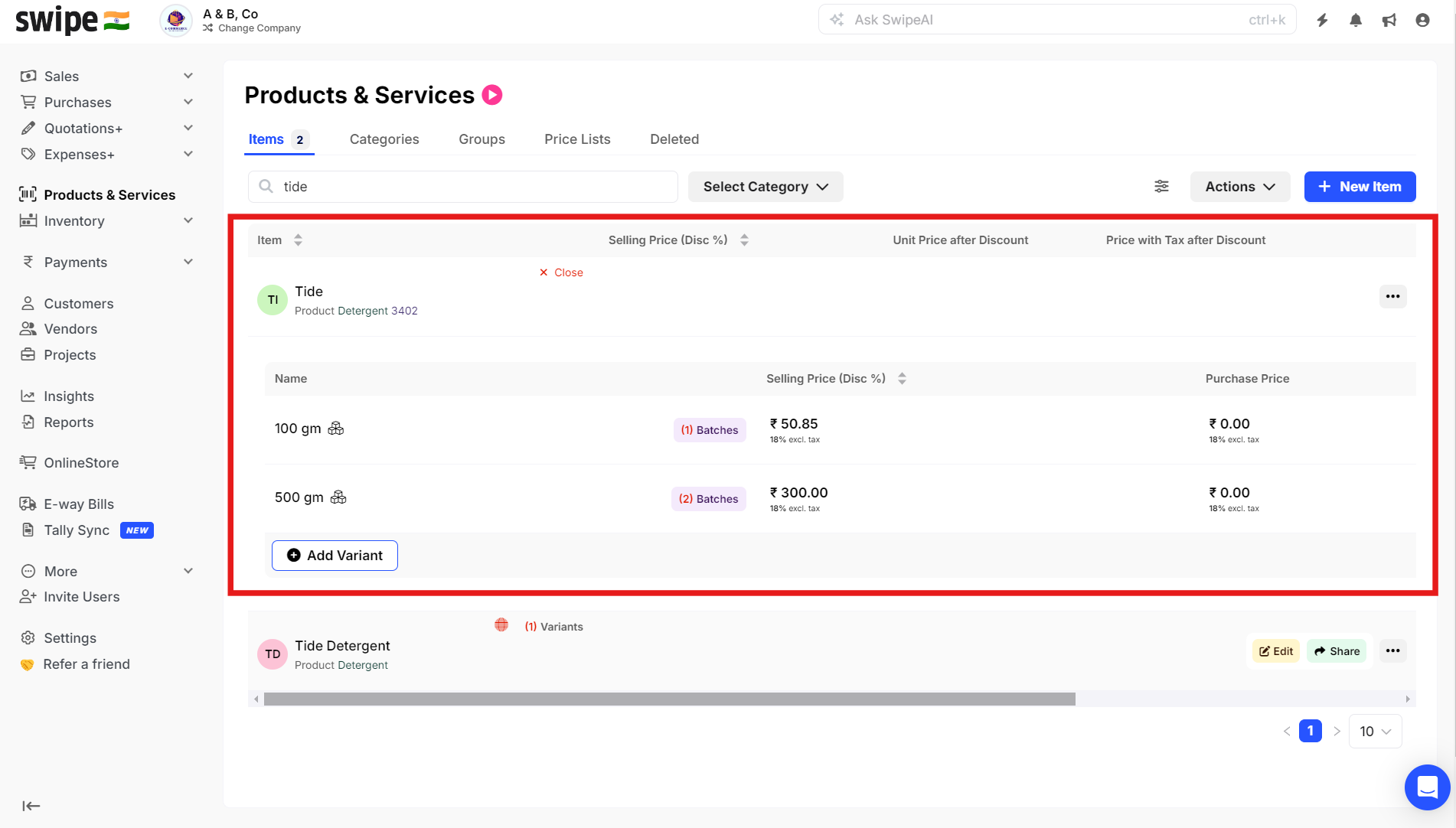
Step 7. Now you can see the products uploaded with Variants having Batches in the Products and Services section.
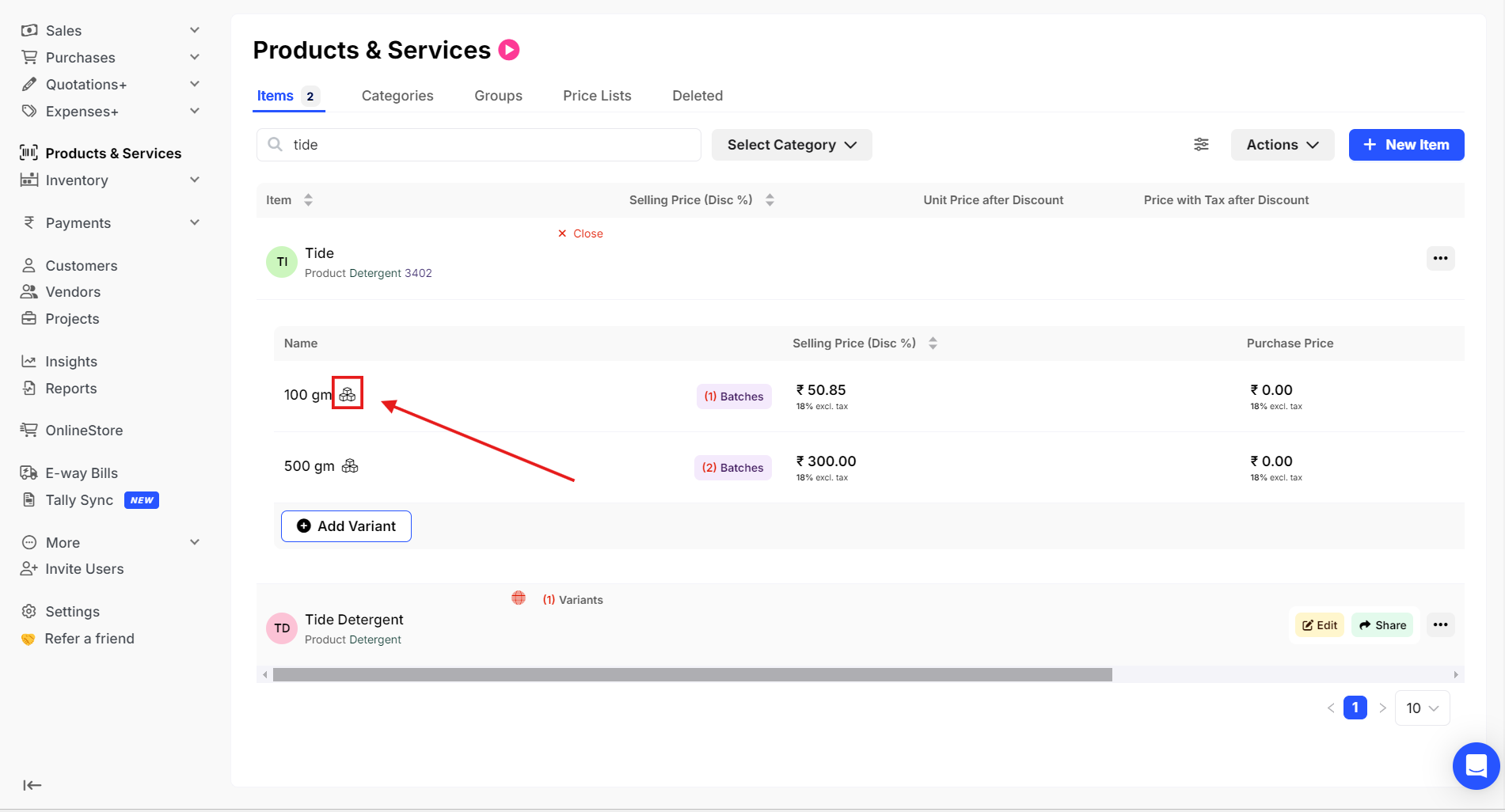
Step 8. Click on the Box icon to View Batches for the products.
Step 9. You can see the Batches for the products you have added.
