To add the HSN/SAC code to the item on mobile, Please follow below mentioned Steps:
Step 1: Go to Products & click on Products.
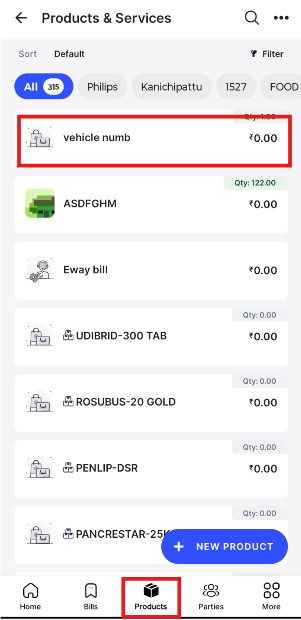
Step 2: Click on Edit option.

Step 3: Select Service if you are looking to add SAC code or Product if you are looking to add HSN code and click on Update product.
