To view the vendor ledger, please follow the below mentioned steps:
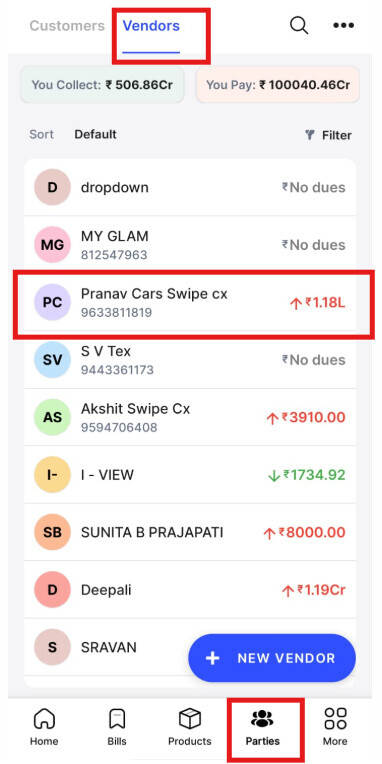
Step 1: Go to “parties” >> Click on “Vendors” >> Select and click on Vendor.
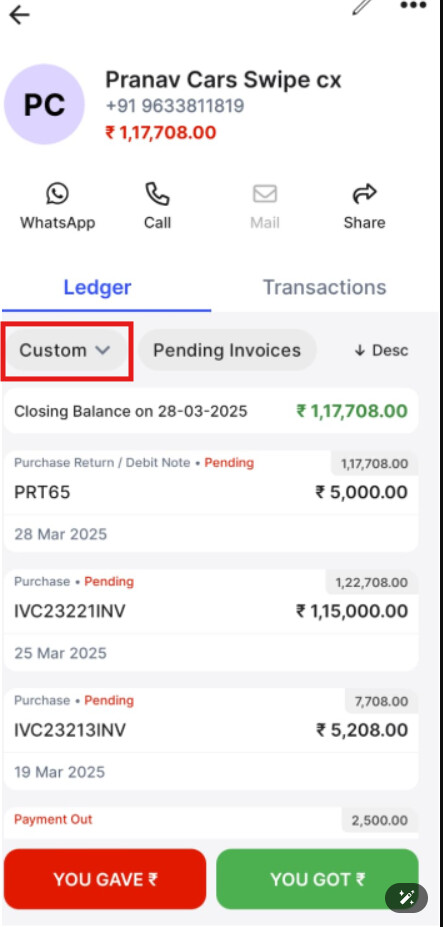
Step 2: Click on “Custom” to apply desired date rate >> View the Ledger.
To view the vendor ledger, please follow the below mentioned steps:
Step 1: Go to “parties” >> Click on “Vendors” >> Select and click on Vendor.
Step 2: Click on “Custom” to apply desired date rate >> View the Ledger.