To view the stock summary with tax rate on web, please follow the steps mentioned below:
Step 1: Go to Reports.

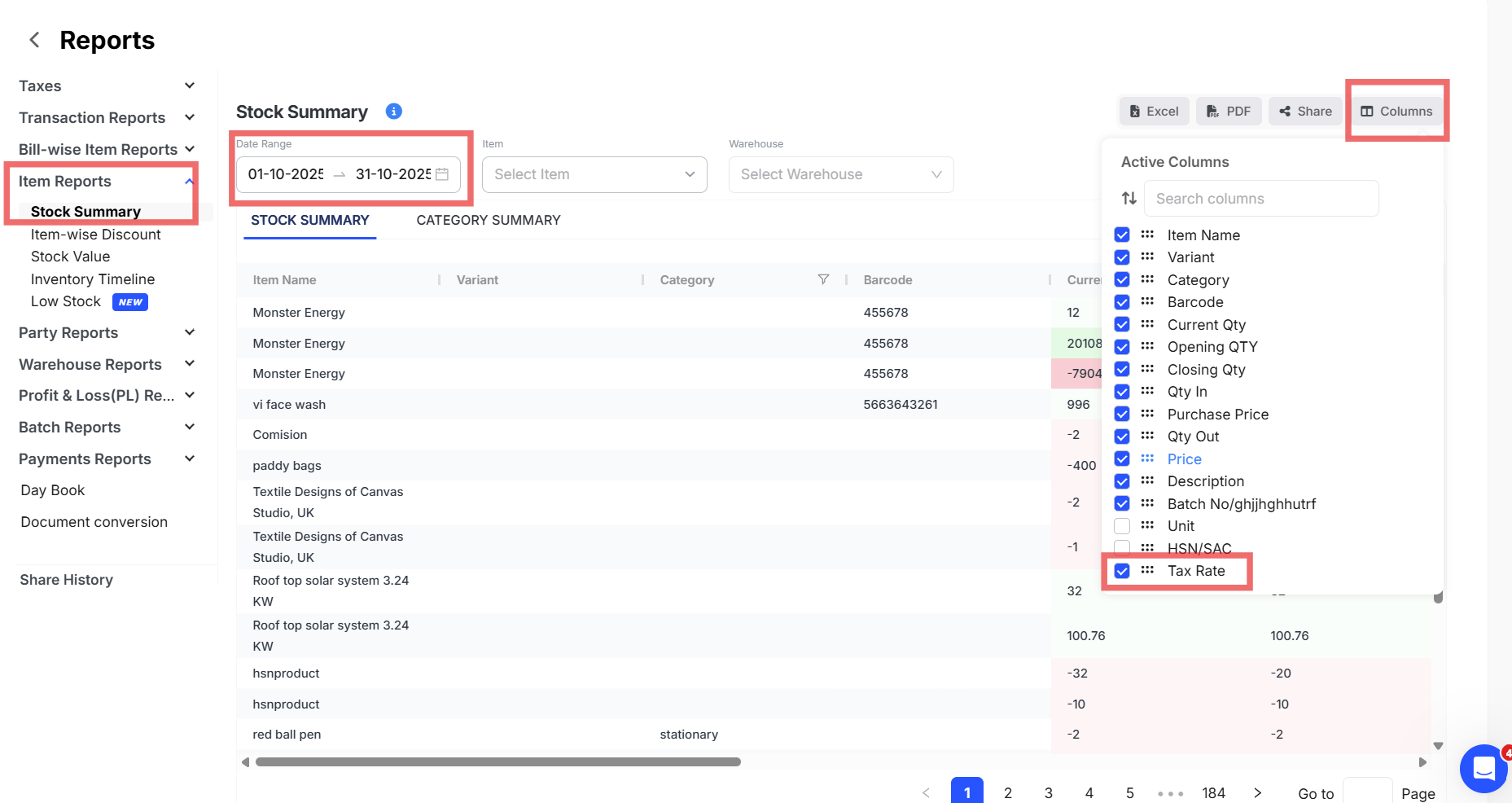
Step 2: Click on Stock Summary under Item Reports >> Apply the Date Range >> Click on Columns >> Enable the Tax Rate.
Step 3: Click on Excel/PDF to download the report.
