Please follow the steps mentioned below to view the closing balance of all vendors on a particular date:
Step 1: Go to Reports

Step 2: Go to Party reports >> Click on All Vendors

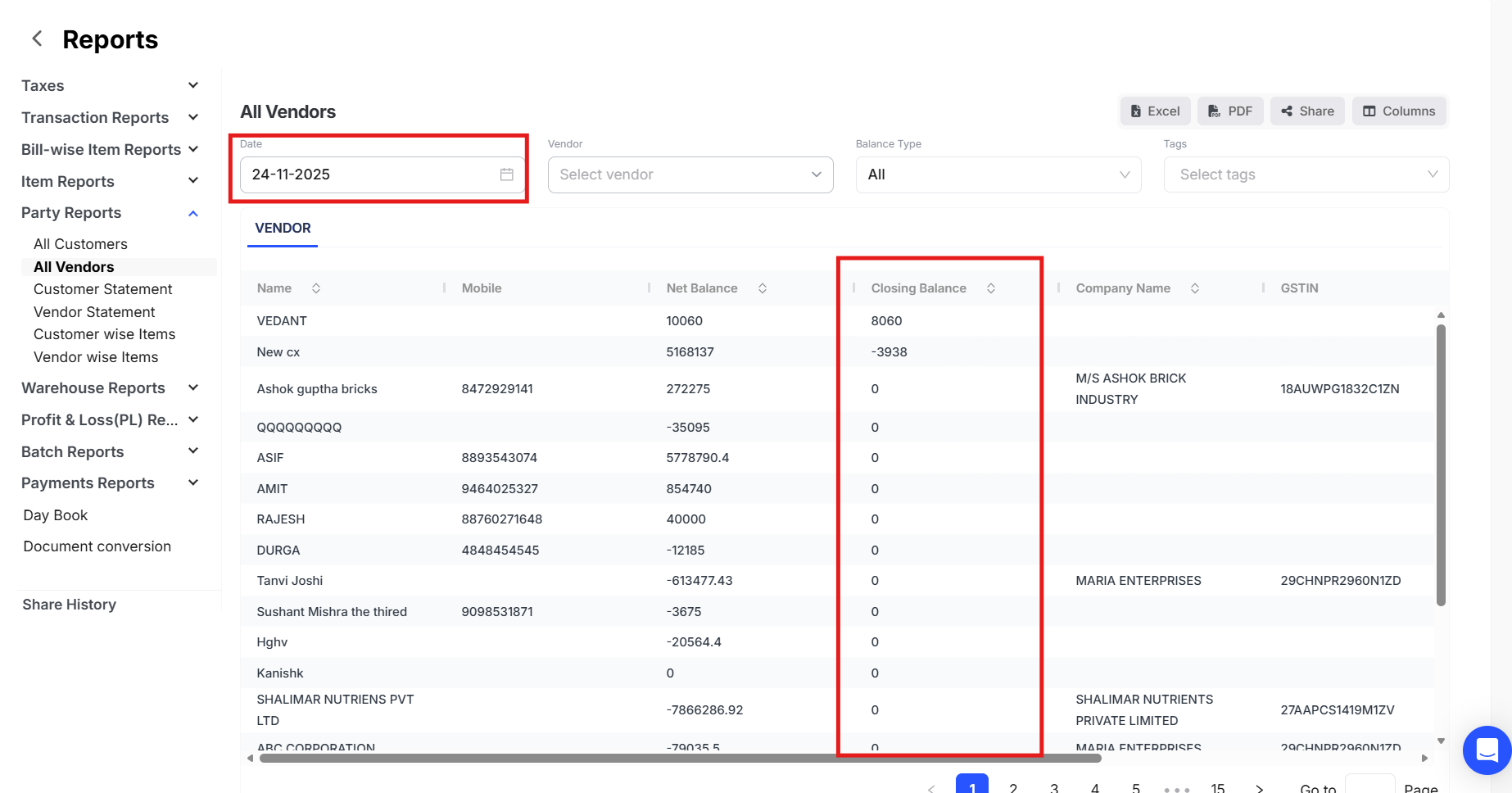
Step 3: Select the desired date in the date filter

Step 4: Click on Columns >> Select the necessary columns

Now, the closing balance of all vendors will be shown according to the date selected as shown below.
Step 5: Now, click on Excel/PDF icon to download the report in the desired format
