Activity section of the invoice typically includes a detailed log of all the actions taken on that invoice.
This sections help in keeping a track of all the actions performed on the invoice.
Please note that only “ADMIN” can view the activity section. To know how to view it, Please follow the steps mentioned below.
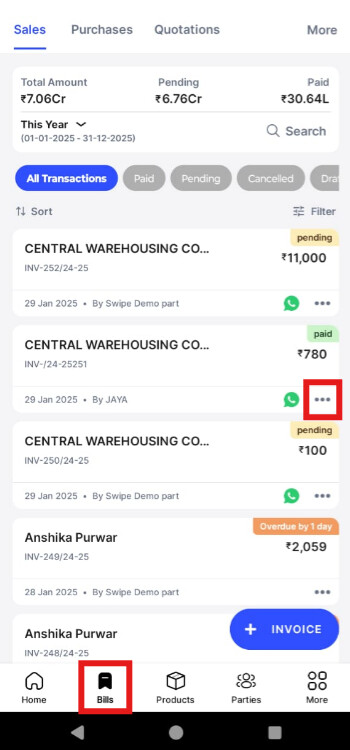
Step - 1 : Go to Bills section, click on 3 dots of the Invoice.
Step - 2 : Click on Activity

After clicking that, you will be able to view the actions performed by different users with date and time in particular with respect to the invoice selected.
