To edit user access please follow the below-mentioned steps.
Step 1. Click on Invite Users from the home page.

Step 2. Click on Roles And Permissions and click on 3 Dots and select Edit.

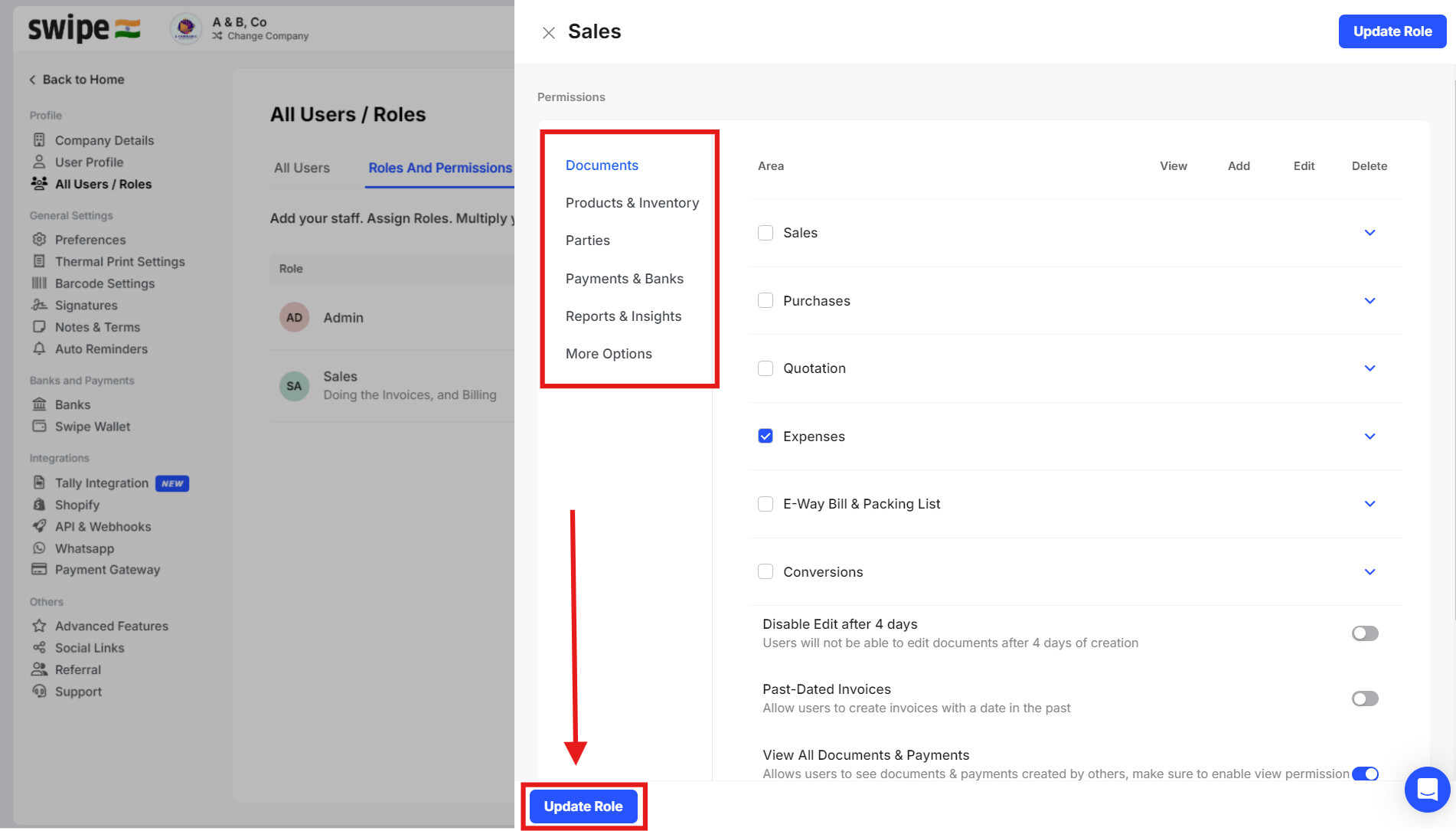
Step 3. Provide the necessary access and click on ‘Update Role’ to save the changes.
Please note: Editing user access is only available on the Web.