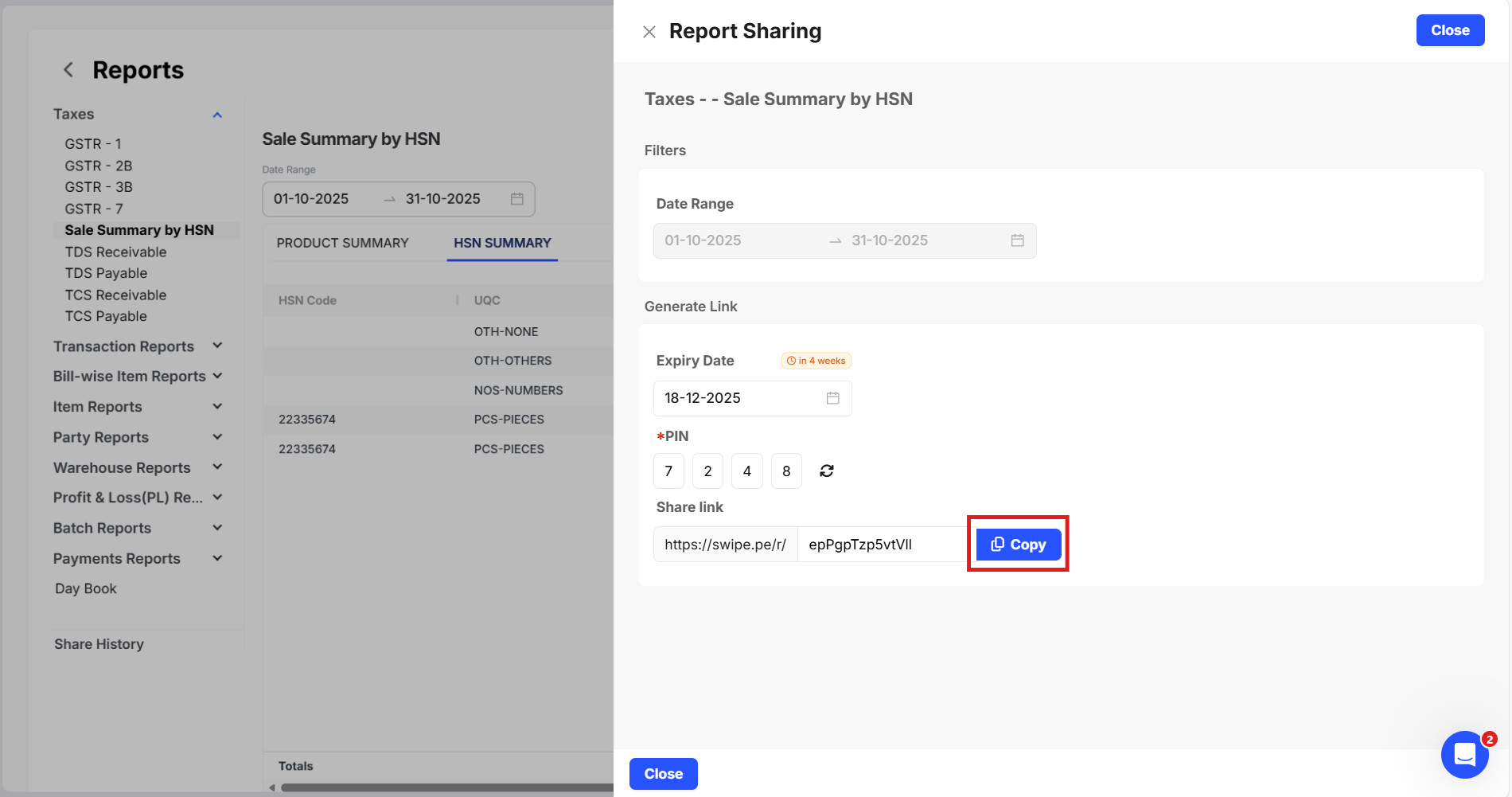
How to Share the HSN summary report?
The HSN summary helps simplify tax reporting by organizing transactions with the right HSN codes, making GST filing easier and more accurate.
To Share the HSN summary, please follow the below mentioned steps:
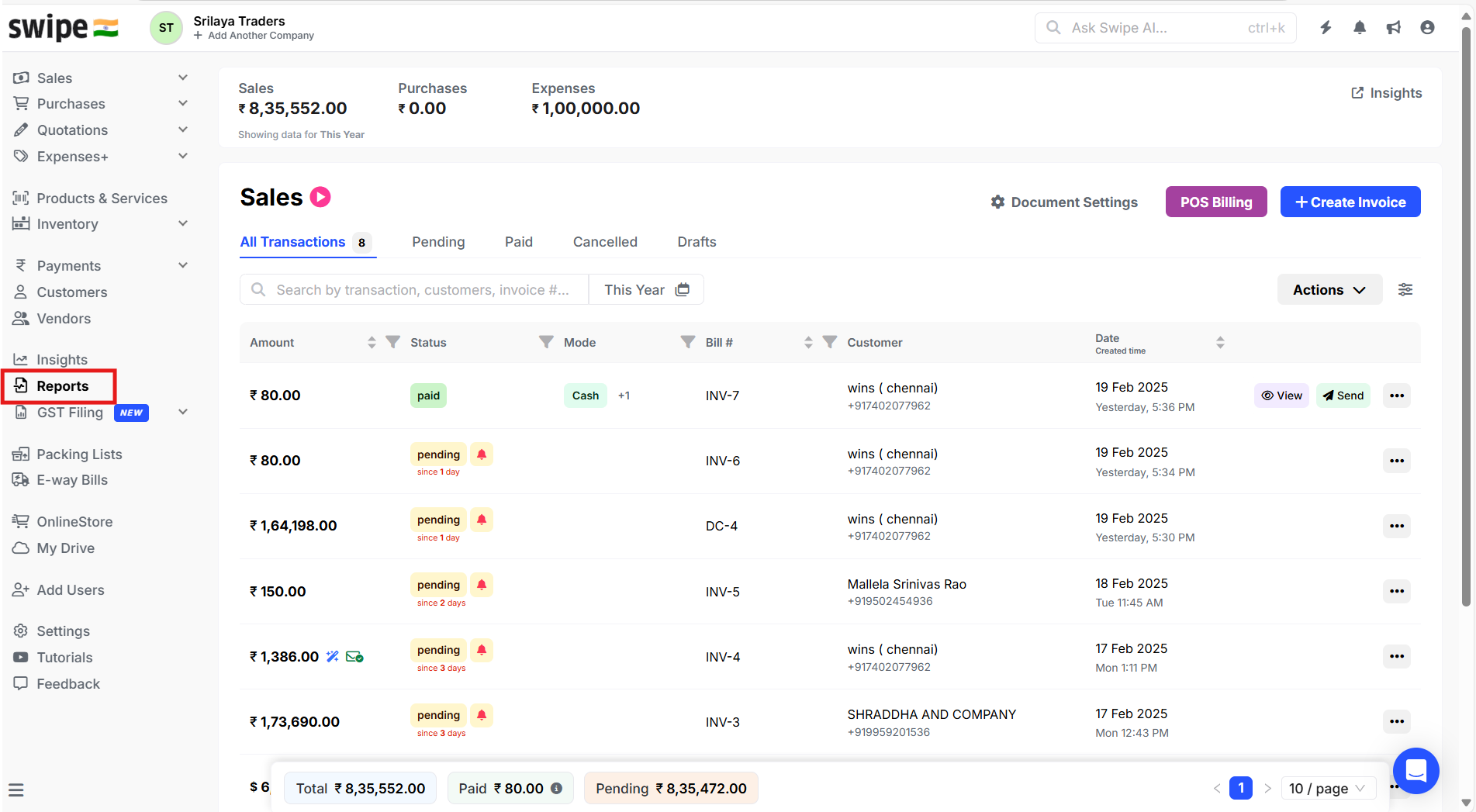
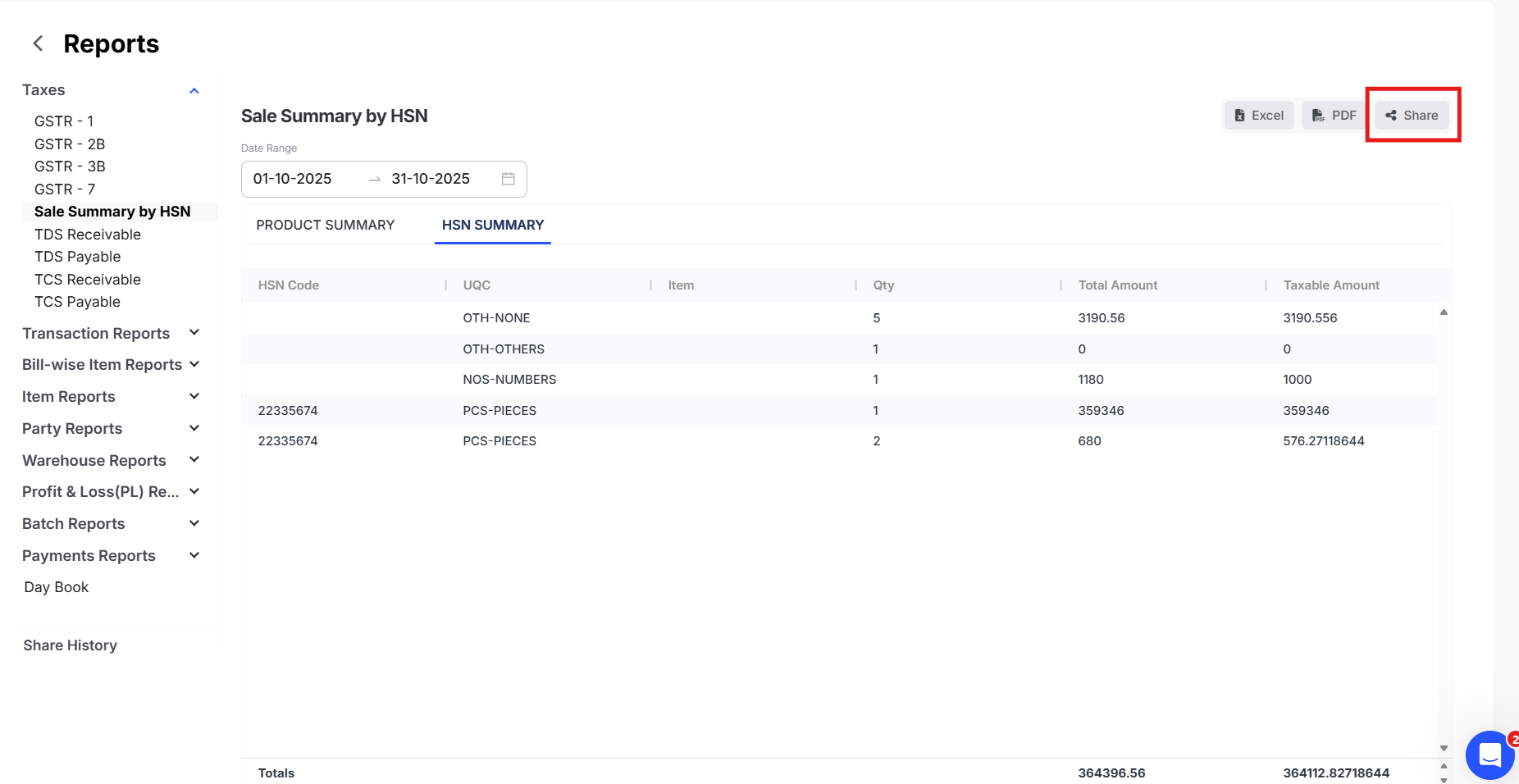
Step 1: Go to Reports section
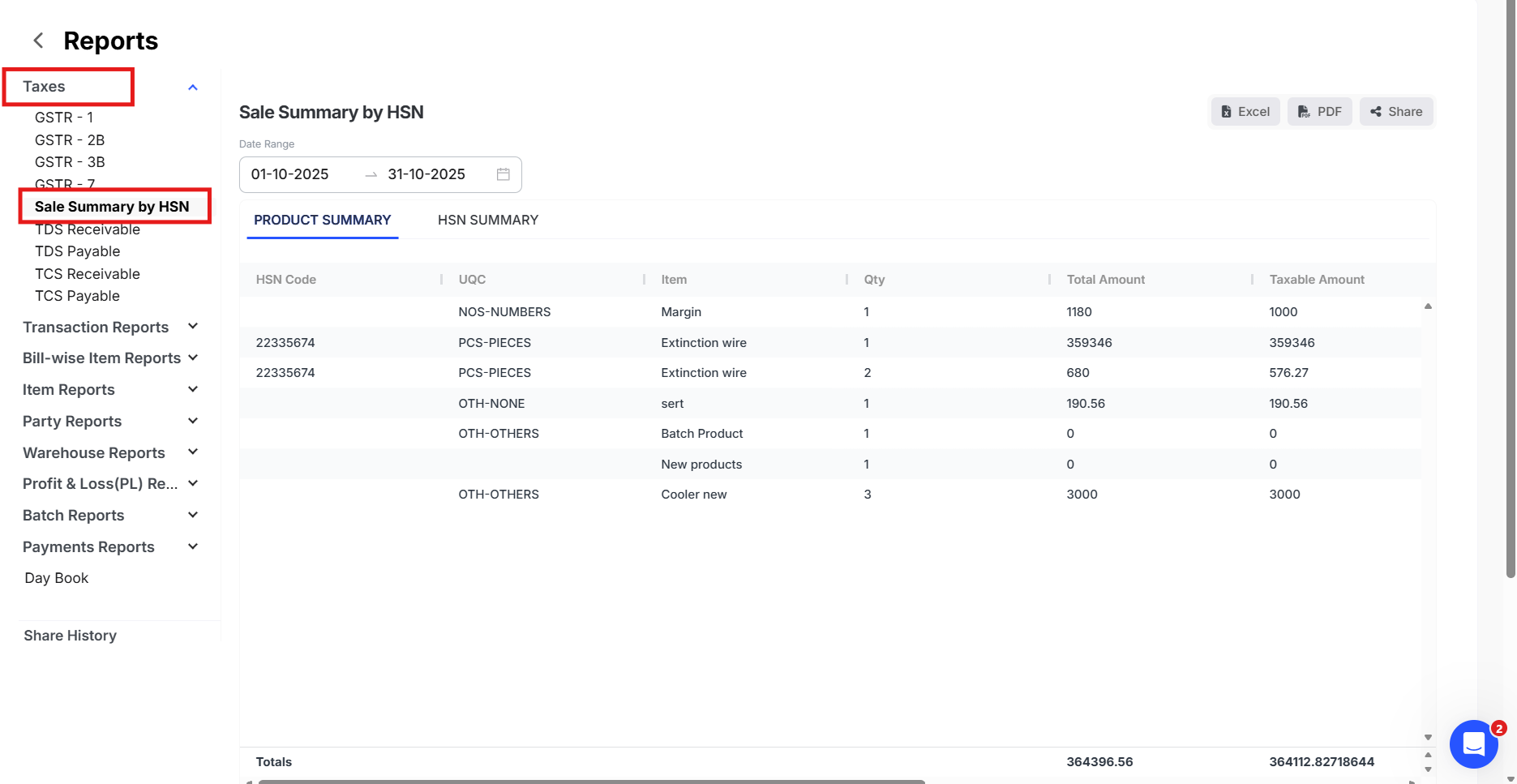
Step 2: Go to Taxes >> Click on sale summary by HSN
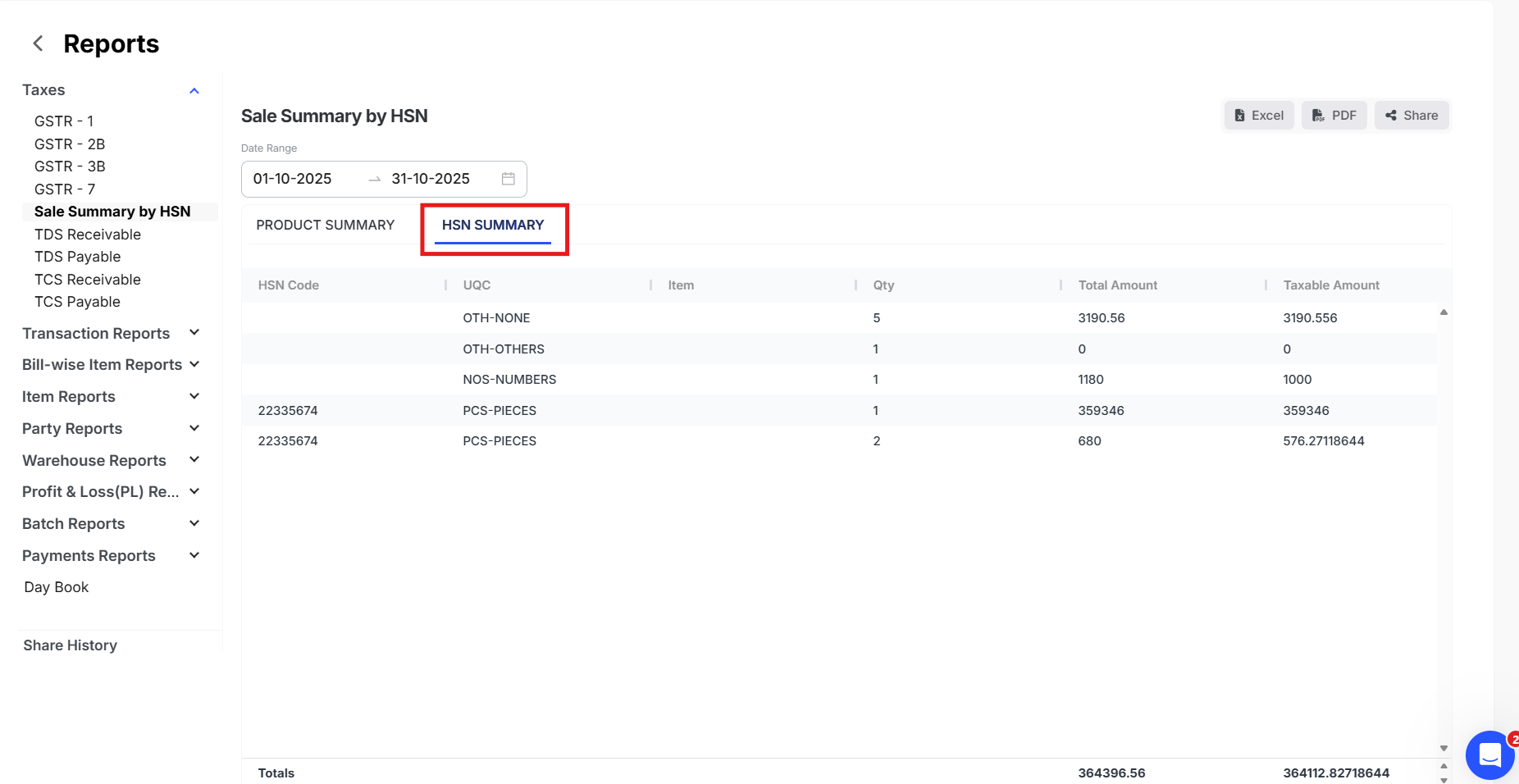
Step 3: Click on HSN summary
Step 4: Kindly click on Share button in the right side as shown in the image
Step 5: Select the Expiry date of the link >> Generate a PIN code and Click on Generate.
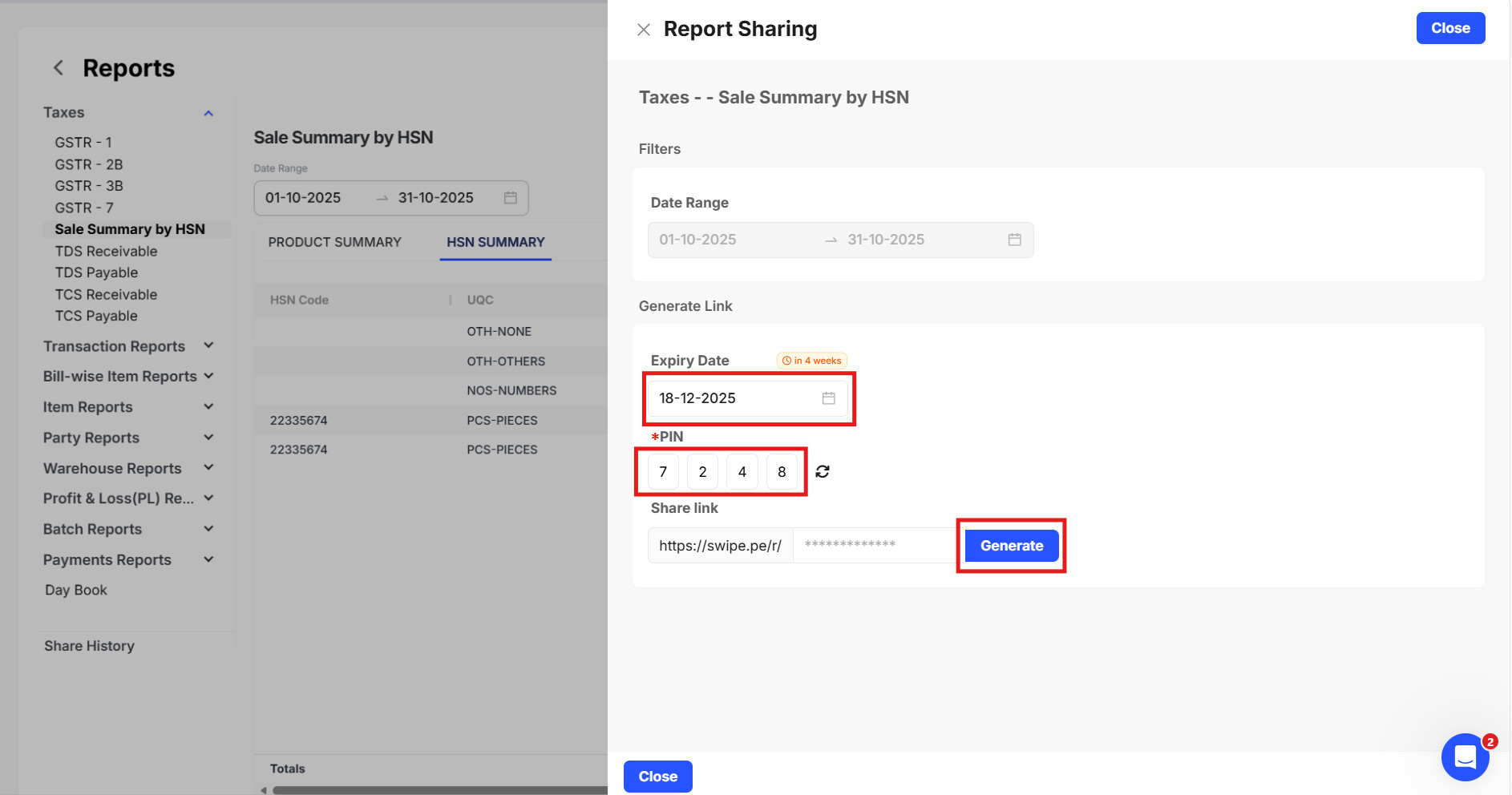
Step 6: Copy the generated link >> Share it to your customer along with the Pin code