To record payment against Debit Note/Purchase Return, please follow the steps mentioned below:
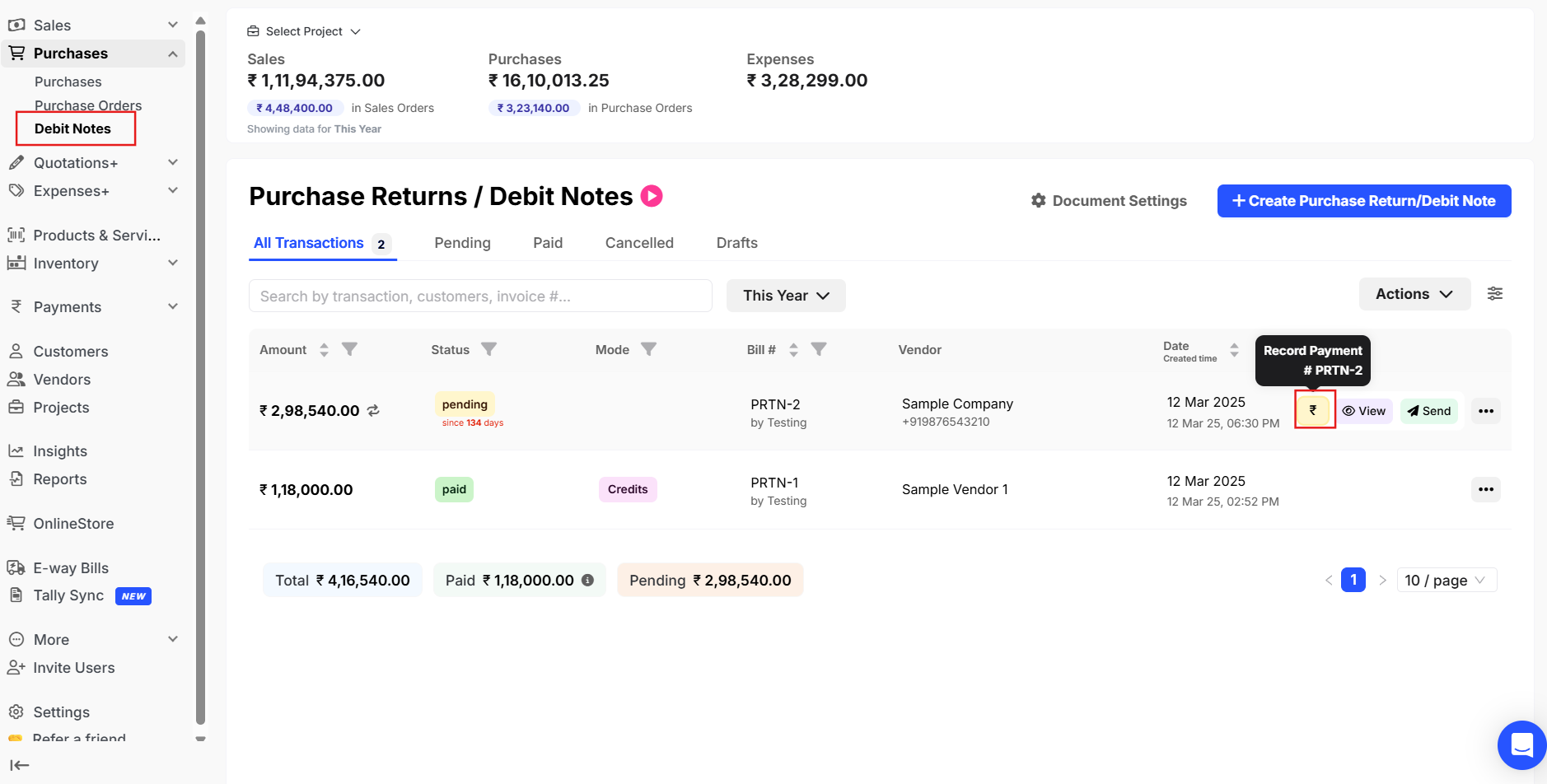
Step 1: Go to Debit Notes >> Click on “Record Payment (rupee icon)”.
Step 2: Please enter the amount that you want to record >> Select the date on which you want to record the payment >> Please select the payment type in which the payment has been made >> Click on Update payment.
