Please follow the steps mentioned below to record partial payment against a purchase invoice:
Step 1: Go to “Purchases” >> Click on “Record payment (Rupee symbol)” against the desired purchase invoice.

Step 2: Record the desired amount >> Select “Payment date” >> Select “Payment mode” >> Notes(if required) >> Click on “Update payment”.
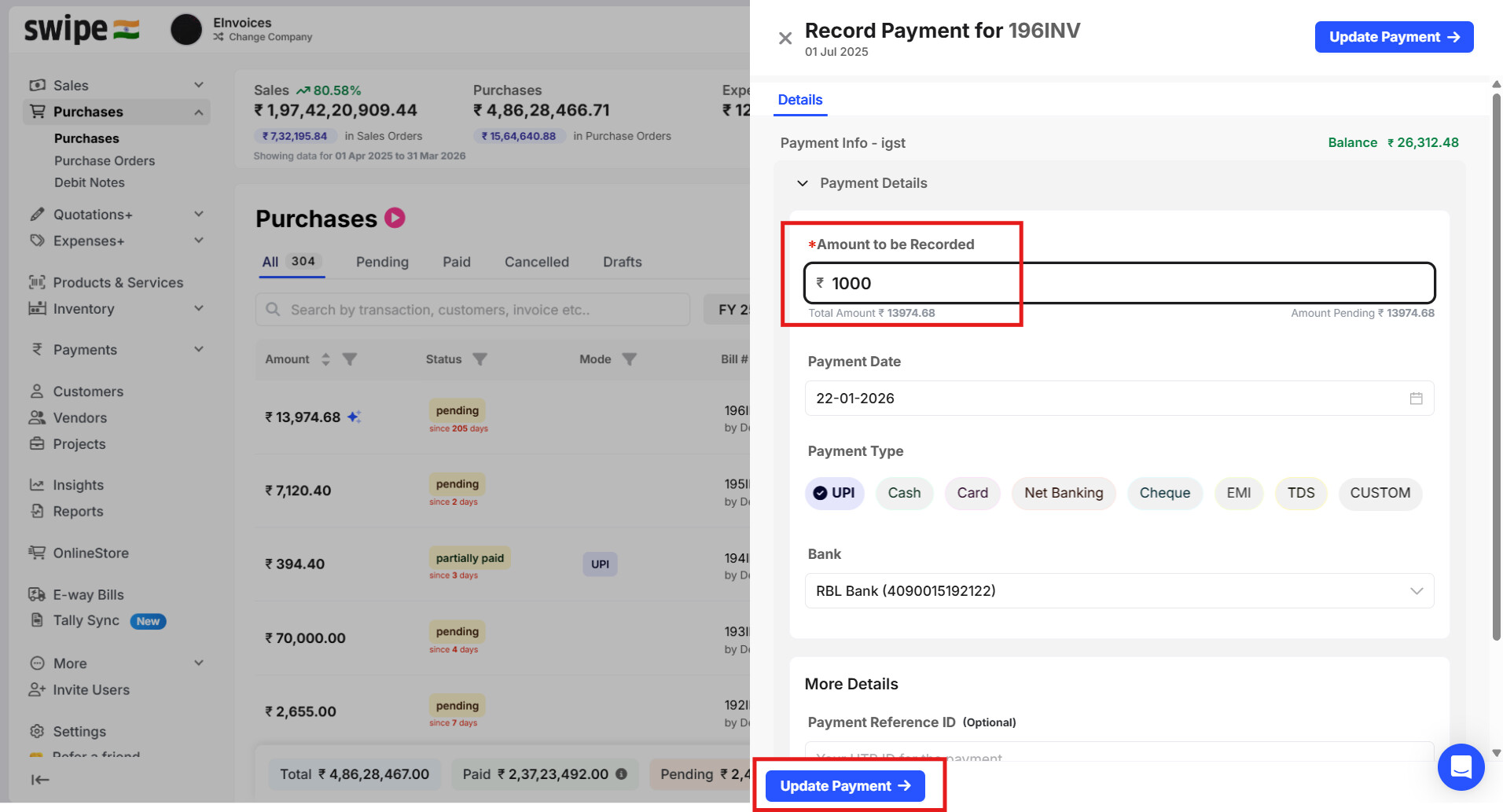
Once the payment is recorded, the status of the payment will be shown as “PARTIALLY PAID”.
