To download warehouse wise transaction sales report, please follow the step mentioned below:
Step 1: Go to “Reports”.

Step 2: Click on “Transaction sales report“ >> Apply the “Date Range“ >> Click on “Manage column“ and select “Warehouse”.

Step 3: Refresh the page once the column is enabled >> Click on “Filter Icon“ and Select the “Warehouse” >> Click on “Apply“.
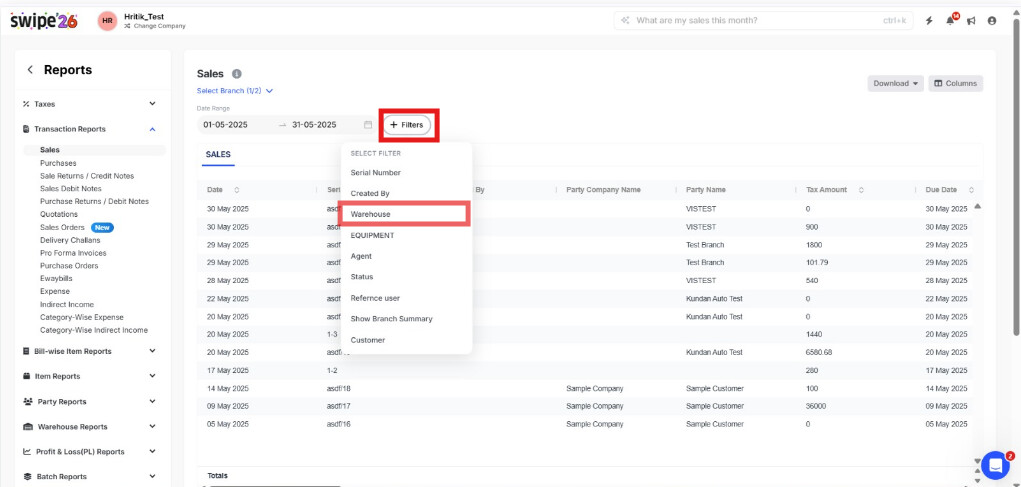

Step 4: Click on download >> Click on Excel/PDF to download the report.
