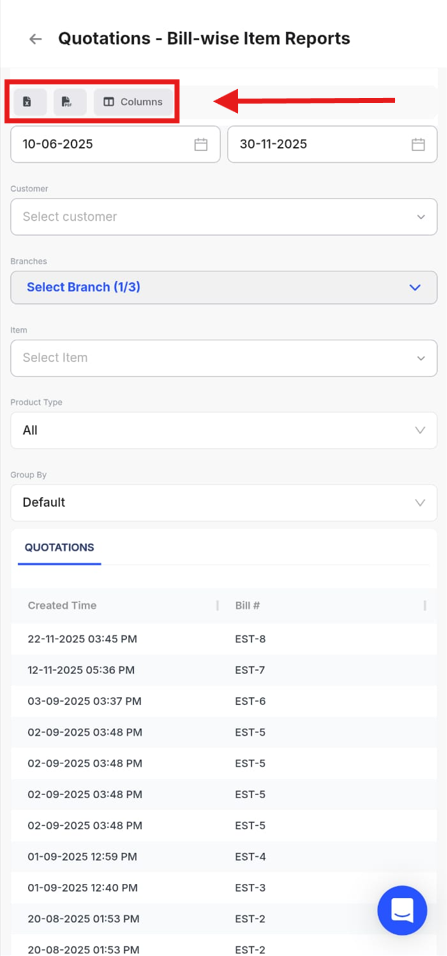
To download variant-wise quotation Report, Please follow the below mentioned steps:
Step 1. Go to Reports from the Home page.

Step 2 : Click on Bill-wise item Reports and then Select Quotations.

Step 3 : Go to Columns and click on Variant Name to enable it.

Step 4 : Click on Excel or PDF to download the Report.