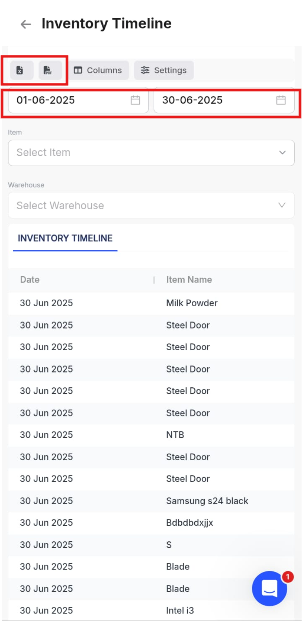
To download inventory timeline report in mobile, please follow the steps given below.
Step - 1 : Go to Reports.

Step -2 : In Item Reports click on Inventory Timeline.

Step - 3 : Click on Manage columns and select the desired columns.

Step - 4 : Select the Date Range and click on Excel or Pdf to download the Report.