To create combo products, please follow the below mentioned steps:
Step 1: Go to “Products & Services” >> Click on “Combos” >> Click on “+ Create Combo”.

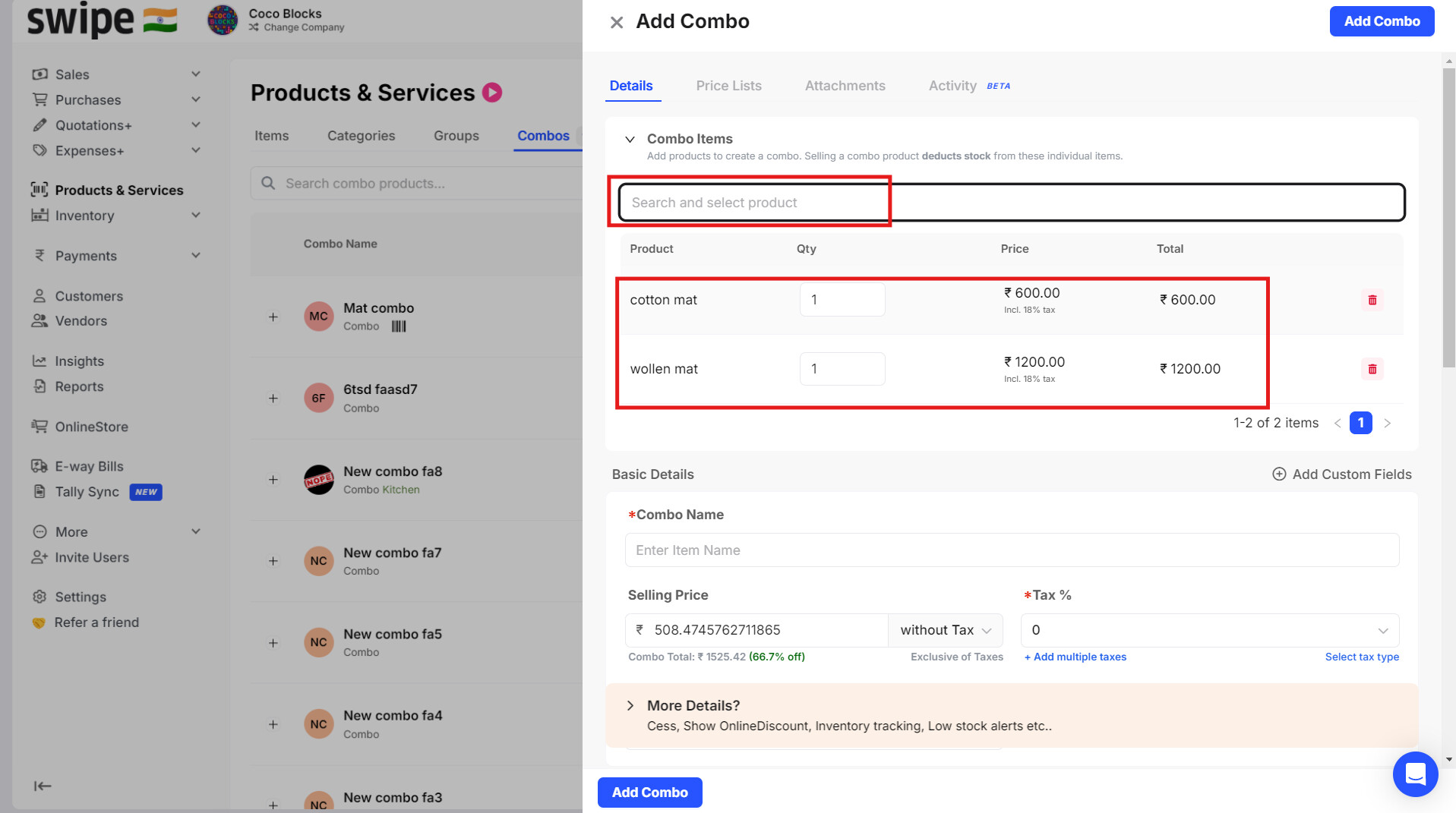
Step 2: Search, select and add products to create a combo.
“Note: Selling a combo product deducts stock from these individual items”.
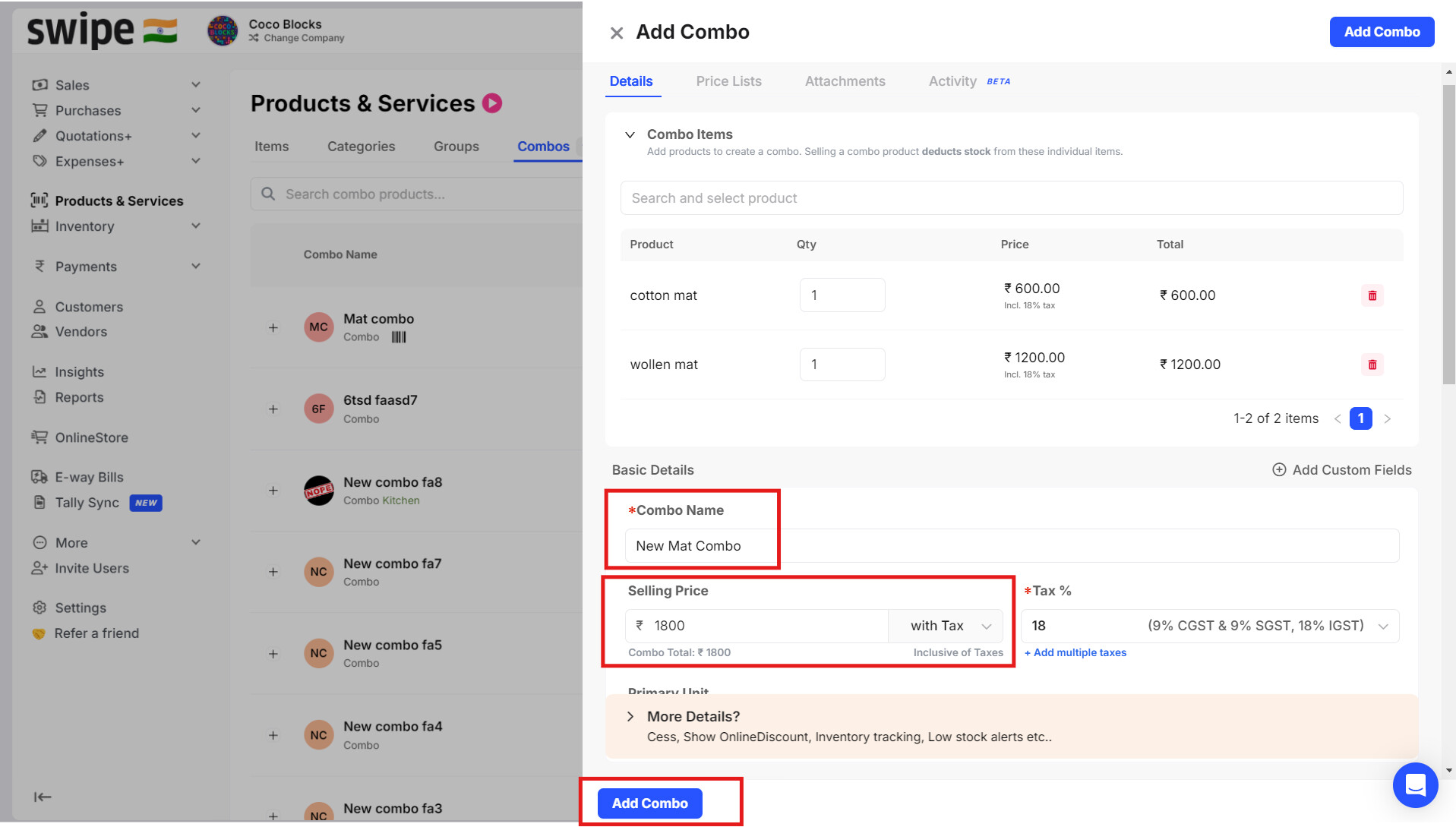
Step 3: “Add Combo name” >> “Add Selling price” >> Click on “Add Combo”.
Please Note:
- This feature cannot be used if the grouping is enabled in account.
- This feature is not supported if you have serial number or batch-wise items.
- Combo products can only be used in sales documents.
- This feature is available only in web version.