To change/update username in mobile, please follow the below mentioned steps.
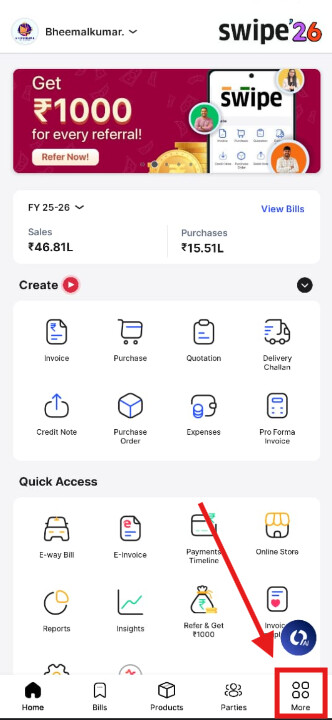
Step 1. Go to More from the home page.
Step 2. Click on User Profile.

Step 3. Select Username.

Step 4. Change/update the username and click on Save.

Step 5. Now your username is update in Swipe account.
