To cancel the E-invoice in android, please follow the below mentioend steps:
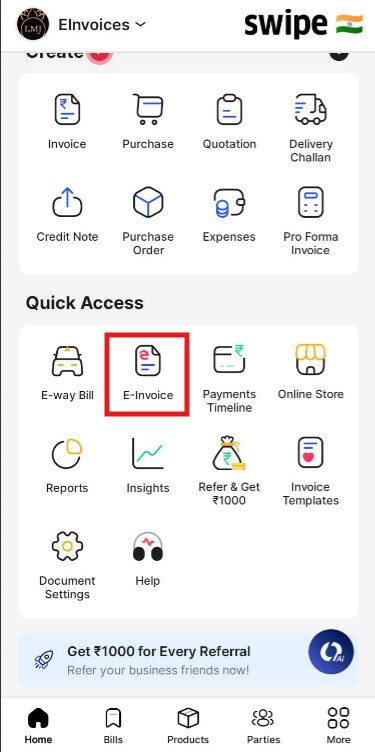
Step 1 - Please go to E-invoices.
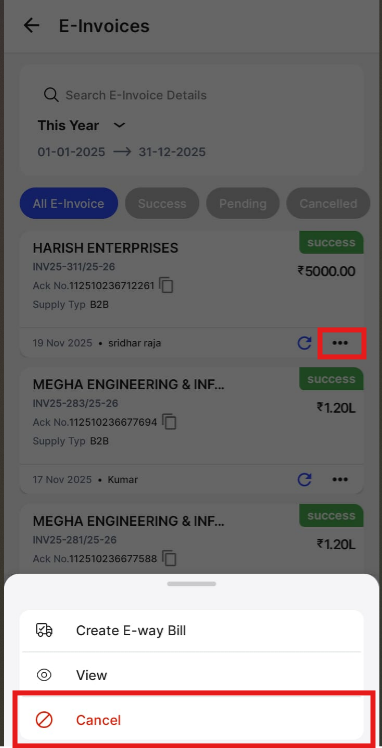
Step 2 - Search E-invoice>> Click on Three Dots>> Click on Cancel.
Note:
- E-Invoice can be cancelled only within 24 hours of creation. This action cannot be reversed.
- E-Invoice cannot be editable once created.
- E-Invoice will not be cancelled on cancellation of original document in other sections.