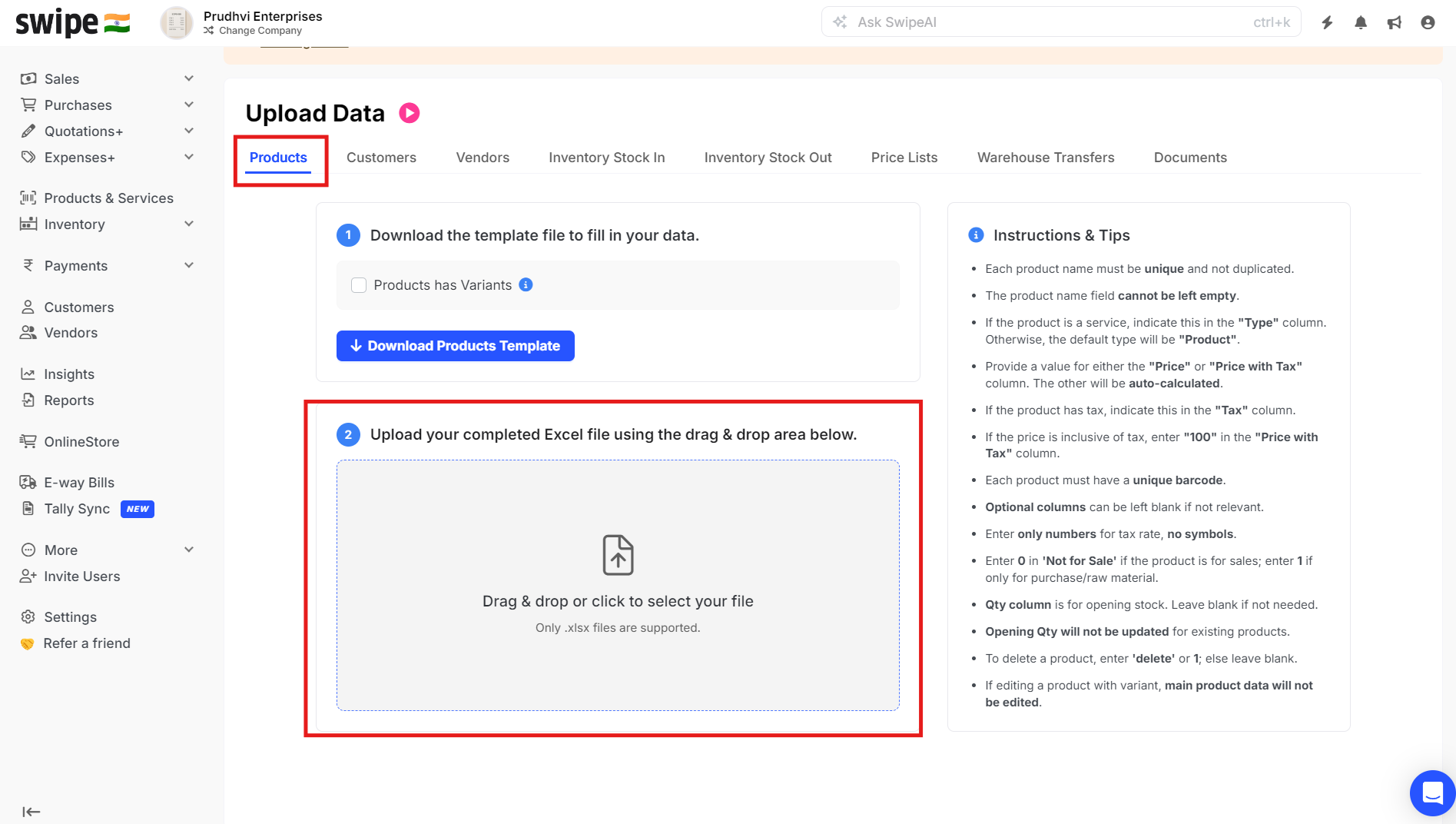
To change the discount of the products in bulk, please follow the below mentioned steps:
Step1: Go to “Products & Services” >> Click on “Actions” >> Click on “download items”.

Step 2: Update the Discounts accordingly and Save the file.

Step 3 : Once the changes are made upload the Excel sheet. To upload click on Action and select Upload items .

Step 4 : In Products Section, click on the Upload Product files here ,to upload the saved Excel sheet.